XChat: New Messaging Platform That Could Replace WhatsApp

Table of Contents
Introduction
XChat is a private messaging feature connected to X. It raises practical questions about encrypted chats, app reliability, privacy controls, calling, file sharing, and whether it can compete with established messaging services.
Replacing WhatsApp is not simply a matter of adding more features. A new platform must be easy to use, widely available, dependable, and clear about how it handles personal information.
Quick Answer
XChat is best understood as an X-based messaging option, not a proven WhatsApp replacement. It may support richer messages, media, calls, and encrypted conversations for some users. Before relying on it, verify availability, account requirements, encryption limits, and privacy settings through official X sources.
What XChat Is Meant to Do
The service appears to be part of X’s wider move from public posting into private messaging. Its purpose is straightforward: keep more conversations inside X instead of sending users to a separate app.
That approach may appeal to creators, journalists, founders, customer communities, and support teams that already connect with people on X. A single account could potentially handle posts, direct messages, audio, video, files, and community updates.
The platform should be judged by verified product behavior rather than promotional claims. Check which tools are available on your account, what devices are supported, and how X explains its privacy model.
How XChat Compares With WhatsApp
WhatsApp is difficult to replace because it is already a familiar choice for families, businesses, groups, and international contacts. It is built around phone numbers and has well-established communication habits.
XChat begins from a different position. It is tied to X accounts, public profiles, and social discovery. That may be useful when conversations begin through posts, creators, communities, or customer questions. It may be less useful when contacts do not use X or prefer phone-number-based messaging.
Consider these basic differences:
- WhatsApp is primarily a messaging app, while the newer service is connected to a social network.
- The established app has broad adoption for personal and business messaging.
- The X-based option may work best for conversations that already begin on X.
- Privacy, security, and account recovery matter for both products.
- Feature availability may vary by region, device, app version, or account type.
For a baseline comparison, WhatsApp explains its privacy and encryption model, including how personal messages are protected.
Which Features Users Should Verify First
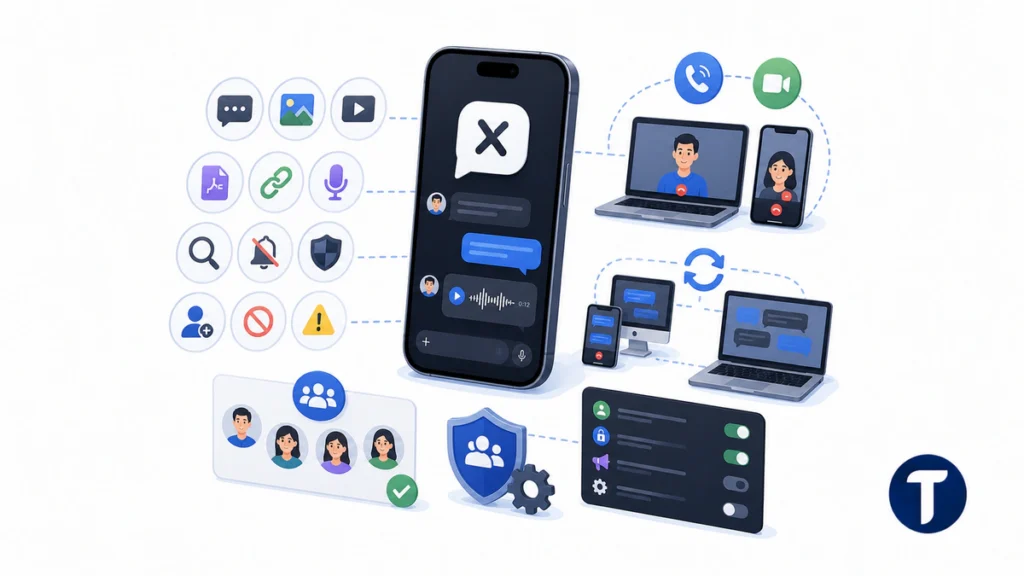
Before treating XChat as a daily messaging tool, check its features directly in the X app and official help materials. Screenshots from other users are not enough because product rollouts may be limited or uneven.
X’s own Chat help page is the right starting point, because it states what the feature currently offers rather than what a screenshot suggests. Compare it against what appears on your own account before assuming a feature is live.
Messages and Media
Start with the basics. Confirm whether you can send text, links, images, video, files, and voice notes. Also test message search, chat muting, request controls, blocking, reporting, and conversation history.
These details determine whether the experience is suitable for work, family, or customer messaging. A promising interface can still become frustrating when essential controls are missing.
Calls and Cross-Device Use
If audio or video calls are available, verify whether they work reliably on mobile and desktop. Check call quality and whether users can control who is allowed to contact them.
Cross-device behavior also matters. Many WhatsApp users expect chats to sync across phones, desktops, and browsers. XChat needs similar convenience before people move important conversations to it.
Groups and Communities
Group tools often determine whether a platform succeeds. Check member limits, administrator controls, spam reporting, notification settings, and how easily new users can understand the interface.
This is especially important for anyone managing multiple social media accounts safely, since brand inboxes may combine customer messages, team access, public replies, and private follow-up.
Privacy and Security Checks Before Switching
Privacy should come before convenience. Messaging services may process identifiers, contact information, metadata, media files, device details, abuse reports, and account activity. Even when message content is encrypted, surrounding data can still reveal useful information.
X says its privacy policy explains how it collects, uses, shares, and protects information. Read that policy alongside official help pages covering direct messages, encrypted conversations, calls, account safety, and data controls.
Encryption may also have limits. Confirm which users can start protected chats, whether groups and media are included, how devices are verified, and what happens when someone changes phones.
A careful review asks what is protected, what is not protected, and what the provider may still access. Do not assume that an encryption label means the same thing across XChat, WhatsApp, Signal, Telegram, Messenger, or iMessage.
Messaging is also a common route for phishing, impersonation, and account takeover attempts. Strong passwords, two-factor authentication, careful link handling, and message-request controls remain necessary.
When XChat Could Be Useful
The service may be useful when a conversation already begins on X. A creator could answer subscriber questions, a founder could continue a discussion from a public post, or a business could move a complaint into a private channel.
It may also appeal to people who dislike switching between apps. Someone who spends much of the day on X could continue a discussion without copying links or explaining the original context again.
However, XChat should not replace every messaging channel automatically. Legal matters, health information, confidential business records, payment discussions, and regulated conversations require stronger checks involving identity, retention, backups, exports, and access control.
When WhatsApp Is Still the Safer Default
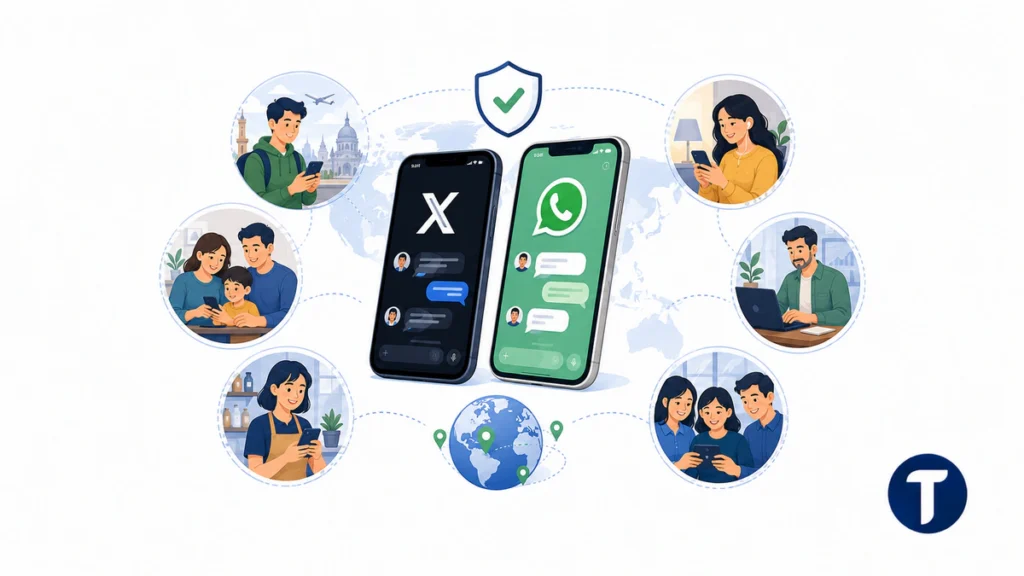
WhatsApp remains a practical default when contacts already use it, group habits are established, or a widely understood app is required. Network effects matter because any messaging platform is useful only when the right people are available on it.
It may also be more suitable for family groups, local businesses, travel coordination, and international messaging where phone numbers have already been exchanged. Users generally understand how to install it, restore chats, manage groups, and adjust familiar settings.
XChat may still earn a place alongside it. The more realistic question is whether the newer service becomes useful for X-based conversations that would otherwise move to another app.
How to Evaluate XChat Safely
Use a simple test before moving important conversations:
- Confirm that the relevant features are available on your account and device.
- Read official X information about privacy, direct messages, and encryption.
- Test messages, media, calls, muting, blocking, and reporting.
- Compare the same workflow with WhatsApp for speed and reliability.
- Begin with low-risk conversations rather than sensitive records.
- Ask whether your contacts actually want to use X for private messaging.
This process provides evidence instead of assumptions. Keep the service where it performs well, and do not force a switch when another platform better supports your family, group, or business needs.
Official Status Checks for Features
Feature checks should be repeatable. Compare what appears on iOS, Android, desktop, and official app listings. When a function appears only in a screenshot or test account, treat it as a limited rollout rather than a universal release.
Claims worth verifying include encrypted messaging, video calls, file sharing, group chats, disappearing messages, message requests, screenshot controls, advertisements inside chats, and notification previews on lock screens.
XChat is associated with X, the company linked to Elon Musk. However, a feature mentioned in a public post or user screenshot may not be available to every account. Verify it inside the product before using it for important direct messages.
Security Details Users Often Miss
End-to-end encryption documentation should explain sender and recipient protection, device keys, verification, and what happens after a device change. It should also clarify what the provider can read, what remains in metadata, and what information may be retained.
WhatsApp, Signal, Telegram, Messenger, WeChat, and iMessage use different security models. Some protect conversations by default, while others limit protection to selected chats or emphasize cloud backup and account recovery.
Before using XChat for sensitive contacts, review login alerts, recovery options, blocking, reporting, message exports, backups, and compromised-device procedures. Security depends on more than what appears on the chat screen.
Should You Use XChat?
Use it when messaging on X is already part of your workflow, the available tools meet your needs, and the conversation is not highly sensitive. It may be convenient for creator replies, social support, and public-to-private follow-up.
Do not make it your only messenger until you have checked encrypted chats, account recovery, group controls, privacy settings, and reliability. When your contacts already depend on WhatsApp or Signal, keep those channels available until the newer option proves itself.
Is XChat Free?
The service may be free for some users, but account requirements can change. Check whether X Premium, a subscription, a supported region, or a particular device is required before recommending it to a team or community.
Where Can You Access It?
Look inside the official X app and X Help Center first. If a standalone app becomes available, use official App Store or Google Play listings rather than third-party download pages. Fake messaging apps can create serious security risks.
How Does It Compare With WhatsApp and Signal?
WhatsApp and Signal have clearer positions as established messaging platforms. Signal emphasizes privacy, while the Meta-owned app has broader adoption. Telegram, Messenger, and WeChat also serve large communities or wider service ecosystems.
XChat differs because conversations can begin from a public social identity, profile, post, or community. That context may be useful, but it also increases the importance of metadata, notification settings, and account security.
Frequently Asked Questions
Is XChat a Separate App?
It is safest to treat it as a messaging feature connected to X unless official product pages confirm a separate experience for your account or region.
Is It End-to-End Encrypted?
Some X messaging features may offer encrypted conversations. Check official documentation to confirm whether protection covers every chat, group, file, call, and connected device.
Can It Replace WhatsApp for Business?
It may help businesses manage conversations that begin on X, especially creator, community, and customer-support interactions. WhatsApp remains stronger for many workflows because customers already use it and teams may have established processes around it.
Is It Safe to Use?
It can be suitable for low-risk messaging when users apply strong account security, manage message requests, and avoid suspicious links. Sensitive conversations require closer checks involving encryption, retention, backups, and access controls.
Who Owns It?
The service is associated with X. Users should rely on official X sources for product status, privacy information, availability, and safety guidance.
Final Verdict
XChat is worth watching because it could make private conversations easier for people who already use X. It is most relevant to creator communities, social support, and users who want public discovery and direct messaging in one account.
However, it should not be treated as a confirmed WhatsApp replacement until it demonstrates broad adoption, stable features, clear encryption coverage, and transparent privacy practices. For now, use each platform where it works best and make security part of every messaging decision.