Can You Have Two Internet Providers in One House?
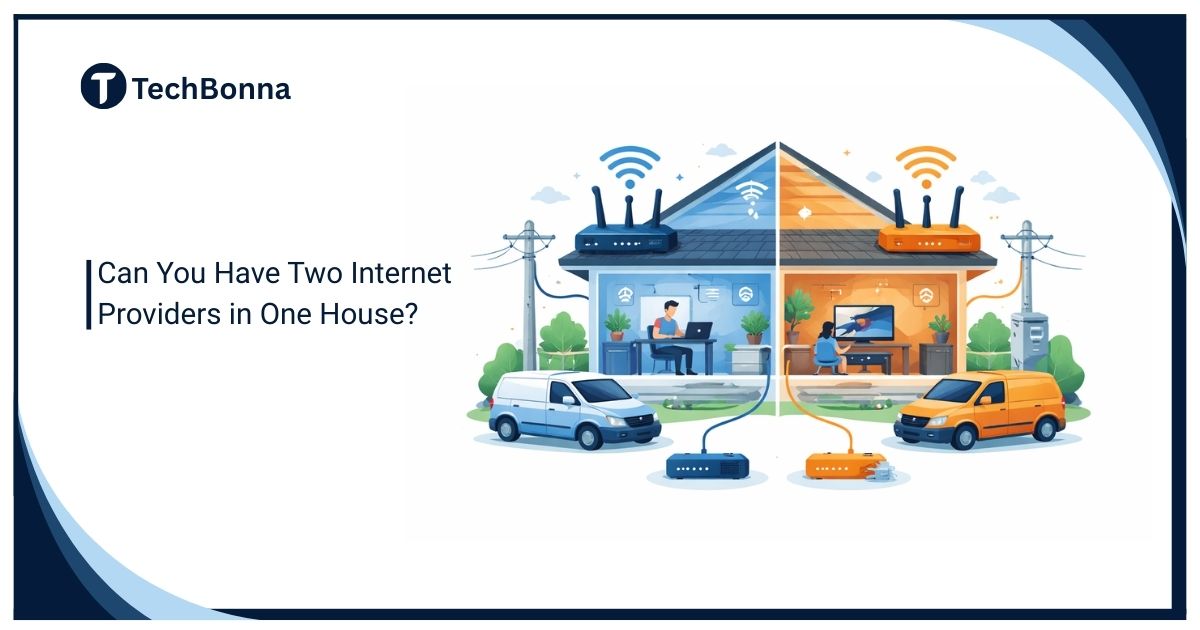
Table of Contents
Two internet providers can be useful when one household needs stronger reliability, separate billing, or a safer home office setup. The practical answer depends on the wiring at your address, the connection types available, and whether you need a dual-WAN router or a simpler backup internet connection.
This guide explains how two internet providers can work in one house, when a dual-WAN router is worth buying, and how to compare the real cost of a backup internet connection. It also covers separate networks, load balancing, failover, equipment, security, and setup cautions.
In brief
Yes, you can have two internet providers in one house if both companies can serve the address and the property can support each installation. The two services can run as separate WiFi networks, a primary line plus a backup internet connection, or a shared home network managed by a dual-WAN router. The best setup depends on whether you need separate billing, automatic failover, load balancing, or simply better WiFi coverage.
Two plans do not automatically double speed for every device. Most homes use two internet providers for resilience, separation, or backup rather than true line bonding.
When Two Providers Make Sense
Two internet providers make sense when the household has a real reliability, billing, or network-control problem. If a remote worker loses income during outages, a backup internet connection can be cheaper than lost work. If housemates need separate bills, two internet providers can prevent disputes. If one provider is fast but unreliable, another connection can protect essential tasks.
- Remote workers who cannot afford failed calls, VPN drops, or cloud-app downtime.
- Housemates, lodgers, or family members who want separate accounts and passwords.
- A home business that needs billing, support, and network control separate from personal use.
- Rural homes that mix cable, fiber, 5G home internet, fixed wireless, or satellite.
- Security cameras, monitoring systems, or smart-home devices that should stay online during outages.
- Power users who want a dual-WAN router to automate failover or basic load balancing.
If the real issue is weak WiFi in one room, two internet providers may not help, and two internet providers may simply add cost. A better router, mesh system, Ethernet run, or improved gateway placement may solve the problem without another monthly bill.
Common Setup Options
There are three main ways to use two internet providers: separate networks, primary-plus-backup, and one managed network with a dual-WAN router. Each option has different equipment, cost, and support implications.
| Setup | How It Works | Best For | Main Caution |
| Separate Routers | Each provider has its own modem, router, WiFi name, and bill | Housemates, rentals, guest networks, or business separation | Devices must switch manually if one provider fails |
| Primary Plus Backup | One main service handles normal use while a backup internet connection is kept ready | Remote work, cameras, and outage protection | Backup speed may be lower than the main line |
| Dual-WAN Router | One router receives both provider connections and manages failover or load balancing | Whole-home resilience and advanced users | Needs compatible equipment and careful setup |
| Cellular Or Satellite Backup | A mobile, fixed wireless, or satellite service backs up wired broadband | Rural properties and short outages | Data limits, latency, and backup internet connection signal strength matter |
If one provider option is cable, TechBonna’s Spectrum Internet Ultra guide explains how to check speed, pricing, availability, WiFi equipment, and plan terms before using it as a primary line or a backup internet connection.
Simple Network Diagrams
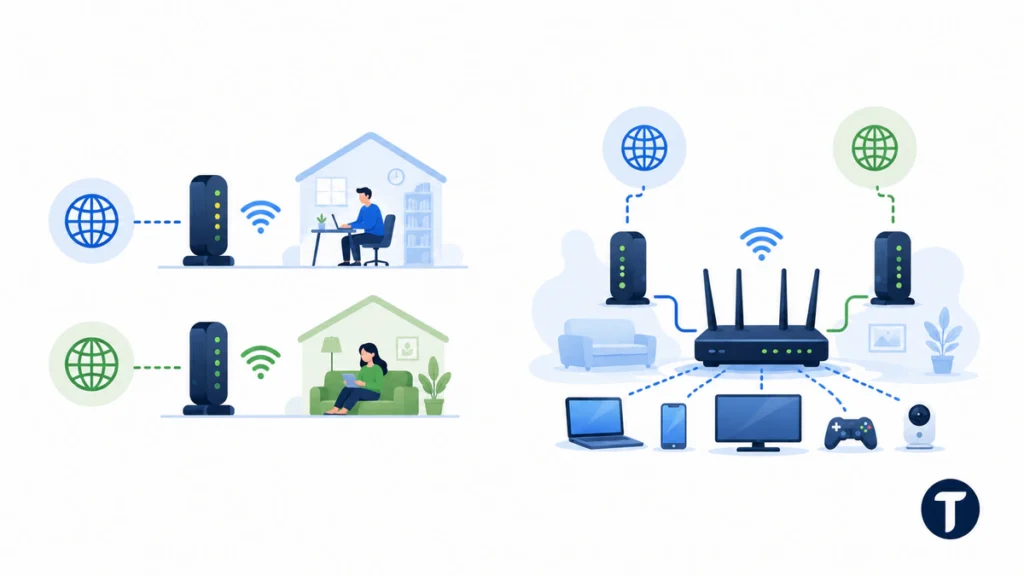
A simple diagram helps prevent messy setups. Two internet providers can be completely separate, or they can feed one dual-WAN router that controls the home network.
Separate Network Setup
Provider A Modem/Router  --->  WiFi A  --->  Work devices
Provider B Modem/Router  --->  WiFi B  --->  Personal devices
This setup is easy to understand. It works well for separate billing, housemates, and business separation when two internet providers need to stay independent. It is weaker for failover because devices usually need to switch networks manually when one provider goes down.
Dual-WAN Failover Setup
Provider A Modem  --->
                    Dual-WAN Router  --->  One Home WiFi  --->  All devices
Provider B Modem  --->
A dual-WAN router is cleaner when you want one home network. It monitors both internet lines, keeps the main line active, and moves traffic to the backup internet connection when the main line fails.
Dual-WAN Failover And Load Balancing
A dual-WAN router has two internet inputs. One port connects to the main provider, and the second port connects to another modem, gateway, cellular router, or satellite router. When the main line fails, the dual-WAN router can move traffic to the backup internet connection.
Failover is the most common home use. It does not make every app seamless. A video call may freeze, a game may disconnect, and a VPN may need to reconnect after the dual-WAN router changes paths. Still, automatic failover is far better than asking every device to reconnect to a phone hotspot during an outage.
Load balancing is different. A dual-WAN router may send some devices or sessions through Provider A and others through Provider B. That can reduce congestion, but it is not the same as true bonding. Most websites, games, and streaming apps still use one path per session.
Cost Analysis Before You Order
Two internet providers can cost much more than a better primary plan. Add the monthly service fee, installation fee, equipment rental, router purchase, taxes, contract terms, and cancellation risk. Then compare that total with upgrading the main plan, replacing old WiFi equipment, or using a cheaper backup internet connection.
For casual browsing, two internet providers may be overkill, and another full broadband plan may not be necessary. For business-critical work, the calculation changes. If one outage costs more than several months of a backup internet connection, redundancy can be rational.
Use the FCC household broadband guidance to estimate normal activity needs, then compare that with your real speed tests, upload needs, and downtime risk. A dual-WAN router helps most when the problem is availability, not just speed.
Equipment And Installation Requirements
Before ordering two internet providers, confirm that both companies can install service at the exact address. One may use coax cable, another fiber, another 5G home internet, fixed wireless, DSL, satellite, or a mobile router. Different technologies reduce the chance that one local fault breaks every connection.
- Ask whether a second installation requires drilling, landlord approval, or a new cable route.
- Confirm where each modem, gateway, or optical network terminal will sit.
- Check whether provider equipment can be placed in bridge mode if you use a dual-WAN router.
- Label cables, power adapters, and account details so troubleshooting stays simple.
- Use a UPS battery backup if outages often include power flickers.
- Test Ethernet before blaming the provider for WiFi-only problems.
A backup internet connection does not need to match the main line if it only protects email, cloud documents, support tools, or payment dashboards. It does need enough upload speed, signal quality, and data allowance for the critical tasks you expect the backup internet connection to carry.
Separate Networks, Security, And WiFi Cautions
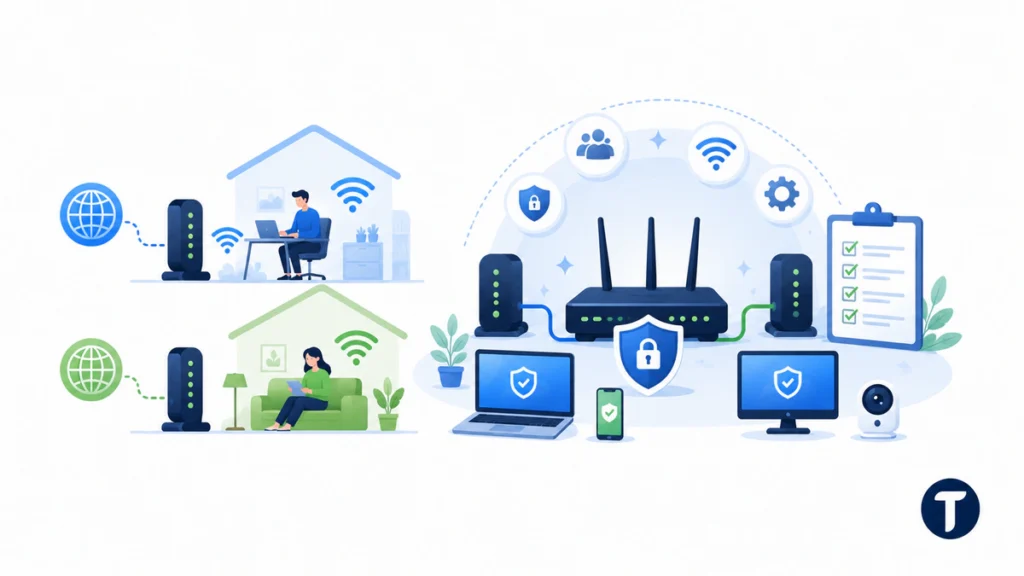
Separate networks are often the safest choice when the goal is control. A business user can keep work laptops on one provider while personal devices use another. Roommates can keep their own WiFi names, passwords, router admin accounts, and support access.
CISA’s home network security guidance recommends replacing default router credentials, keeping firmware current and reviewing connected devices. Those baseline controls still apply when a second provider adds another gateway or when a dual-WAN router becomes the single control point.
A single dual-WAN router is better when the goal is automatic protection for the whole house. The trade-off is responsibility. Someone must configure WAN priority, failover checks, DNS, firmware updates, guest WiFi, VPN rules, and device groups.
Do not place two gateways on the same shelf and hope for the best. Two internet providers can mean two WiFi networks competing for the same airspace. Separate the routers, use clear network names, avoid open guest networks, change default admin passwords, and document which devices should use which connection.
Troubleshooting Before Paying For A Second Line
Many homes consider two internet providers because WiFi feels unreliable. Test the real cause before signing another contract. A weak router can make a good provider look bad, and a poorly placed gateway can break a home office even when the internet line is fine.
- Run a wired Ethernet speed test near the modem or gateway.
- Restart the modem and router separately, then test again.
- Check provider outage pages before changing hardware.
- Move the router higher and away from thick walls, metal, and appliances.
- Try mesh WiFi or Ethernet for rooms with weak signal.
- Check peak-time results over several days, not one test.
- Replace old cables, splitters, or routers before buying a second full plan.
If the wired test is stable but WiFi drops, fix WiFi first. If the wired service itself fails, slows badly at peak times, or drops during work, a backup internet connection or dual-WAN router becomes more reasonable.
Provider Scenarios To Compare
The strongest redundancy usually comes from different technologies. Cable plus fiber, fiber plus 5G, cable plus fixed wireless, or wired broadband plus satellite can be more resilient than two accounts that share the same vulnerable route.
If you are considering fixed wireless, TechBonna’s Verizon Home Internet review explains how 5G coverage, gateway placement, Fios availability, and terms affect real home performance. That matters because a wireless backup internet connection depends heavily on signal quality inside the house.
Provider support also matters when two internet providers are installed at one address. Ask whether the second service can be residential, business, or a separate suite account. Some companies allow separate technologies at one address, while others restrict duplicate residential accounts. Get the answer before installation day.
How To Get Two Internet Connections In One House
The simplest way to get two internet connections in one house is to confirm availability at one address, choose different internet providers where possible, and ask each company what installation requires. You may be able to use one cable internet plan, one fiber line, a separate internet line, fixed wireless, or a 5G home internet plan.
Some homes can run two separate internet connections with two separate modems. Others need one modem plus a wireless gateway, satellite router, or business internet service. If two DSL or two cable internet options use the same old wiring path, the secondary one may not add much resilience.
If you want to set up dual internet for work, ask whether the providers offer a trial period and whether one account can be business internet. The goal is not to collect equipment. The goal is reliable internet access when the current internet line or one provider goes down.
Pros And Cons Of Different Internet Providers
| Advantage | Why It Helps | Caution |
| Redundancy | Internet failover keeps priority work online when the primary one fails | A session may still reconnect |
| Separate Billing | Dedicating one account to work or a housemate avoids shared internet bills | Support access must be documented |
| Better Coverage Options | Multiple internet providers can mix fiber, cable, wireless, and satellite | Monthly cost of running two can climb quickly |
| Traffic Control | Splitting traffic across two networks can keep heavy internet use away from work devices | It needs clear rules or a dual-WAN router |
The disadvantages are cost, extra equipment, support confusion, and added security work. If you only need to improve internet performance in one room, a mesh system may be simpler than running two internet connections at home, even when two internet providers and a backup internet connection sound safer.
Questions To Ask Before Installation
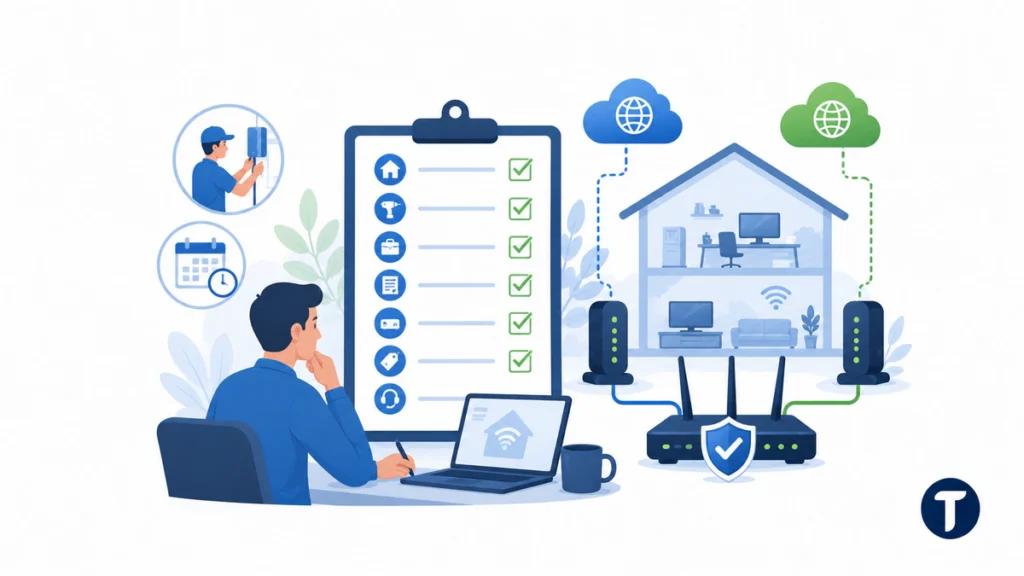
- Can you install service here while another provider is active?
- Will the installation require drilling, new cabling, or landlord approval?
- Can this be a business line, and will support treat it differently?
- Is there a contract, early cancellation fee, or trial period?
- What equipment is included, and can it work with a dual-WAN router?
- What happens to pricing after any promotion ends?
- What upload speed, data policy, and support hours apply to the backup internet connection?
For a clean build, document why two internet providers are needed, when the dual-WAN router should switch, and which tasks the backup internet connection must protect. Then test two internet providers during a quiet period, force the dual-WAN router to fail over, and confirm the backup internet connection can handle calls, dashboards, and messages. Recheck two internet providers after firmware updates, because a dual-WAN router rule or backup internet connection setting can change.
Follow-up questions
Can Two Providers Use The Same Cable Line?
Usually not in a simple shared way. One cable company normally controls its own coax network. A second provider may need fiber, fixed wireless, cellular, satellite, DSL, or another physical route.
Will Two Internet Providers Double My Speed?
Not automatically. Most devices use one connection at a time. A dual-WAN router can balance some sessions, but true bonding needs special service or software and is not the normal home setup.
Can I Use Two Routers In One House?
Yes. Use clear WiFi names, safe passwords, sensible placement, and non-overlapping channels where possible. If you want one network, use a proper dual-WAN router instead of randomly daisy-chaining routers.
Is A Cellular Plan Good Enough For Backup?
A cellular plan can be a good backup internet connection for email, video calls, dashboards, and light work if signal is strong, but the backup internet connection should be tested before you rely on it. Check data limits, upload speed, latency, and gateway placement before relying on it.
Should I Get Two Full Broadband Plans?
Only if the reliability, billing, or separation benefit is worth the cost. Many homes can use one strong main plan plus a lighter backup internet connection instead of two expensive full-service plans.
Where this leaves you
Two internet providers can be a smart home network upgrade when outages are costly, account separation matters, or a home office needs protection. Start with wired testing, compare provider technologies, price the monthly total, decide whether a dual-WAN router is needed, and choose a backup internet connection that protects your most important work without creating unnecessary cost or complexity.