
How to Classify Software Applications Components: The Complete 2026 Guide
Table of Contents
Software application components are the business functions, services, modules, data stores, integrations, user interfaces, and shared libraries that make a system work. Classifying them helps product, engineering, security, finance, and operations teams discuss the same estate without using five different taxonomies.
A useful model combines application component classification, software architecture models, and clear ownership rules. The goal is not to create a perfect diagram. The goal is to decide what each component does, who owns it, how risky it is, and how it should be maintained.
Start here
To classify software application components, first define the audience and decision goal. Then label each component by business capability, application type, architecture layer, technical role, integration pattern, data sensitivity, operational criticality, owner, and lifecycle stage. Use recognized software architecture models such as layered architecture, microservices, event-driven systems, and domain-driven design as reference points, but keep the classification simple enough for real teams to update.
Define the Audience and Classification Goal
Start With the Decision You Need to Make
The same software application components can be classified differently depending on the audience. A CFO may need cost and duplication labels. A security team may need data sensitivity and exposure labels. Architects may need dependency, integration, and deployment labels. Product managers may need ownership, roadmap, and customer-impact labels.
For example, a finance ERP suite can be classified as a system of record for accounting, a high-criticality business platform, a data-sensitive application, and a vendor-managed component. Each label answers a different management question.
Choose a Small Set of Views
A practical classification system for software application components usually needs four views: business, architecture, risk, and lifecycle. Those views keep application component classification useful without turning it into a large documentation project that nobody maintains.
Use Recognized Software Architecture Models
Architecture Models Give You Shared Language
Software architecture models help teams describe structure before they argue about tools. A layered model separates presentation, business logic, data access, and storage. A microservices model separates independently deployed services. An event-driven model highlights publishers, events, consumers, queues, and downstream reactions.
The ISO/IEC/IEEE 42010 architecture description standard treats architecture descriptions as a way to address stakeholder concerns through views and viewpoints. That idea fits software application components because one inventory can support several views without forcing every team to use the same technical wording.
Map Components to the Model You Actually Run
Do not copy a textbook model if your software estate is hybrid. Many companies run packaged SaaS, internal web apps, APIs, data pipelines, serverless functions, reporting tools, and legacy modules together. Use software architecture models as a reference for software application components, then adapt the labels to the real system.
Core Classification Dimensions
Business Capability
Business capability is usually the clearest first label. Examples include sales, finance, HR, inventory, procurement, customer support, compliance, analytics, and security. This makes software application components easier for non-technical teams to understand and easier to compare across departments.
Application Type
Application type explains what role the larger application plays. Common labels for software application components include system of record, workflow application, customer-facing product, analytics platform, integration hub, internal tool, compliance system, and automation layer.
Specialized compliance platforms show how several labels can apply at once. Standard Assessment Procedure software is a practical example: it can be classified as a compliance system, calculation engine, data-validation workflow, and reporting tool, depending on the decision being made.
Technical Role
Technical role describes what a component does inside the system. Common labels for software application components include user interface, API, service, batch job, database, queue, cache, authentication provider, reporting model, connector, shared package, and observability tool.
| Dimension | Example Label | Decision It Supports |
|---|---|---|
| Business capability | Finance, Sales, HR, Security | Budgeting, ownership, duplication review |
| Application type | System of record, workflow app, analytics platform | Portfolio management and vendor review |
| Architecture layer | UI, API, service, data, infrastructure | Design, dependencies, and deployment planning |
| Data sensitivity | Public, internal, confidential, regulated | Access control and security review |
| Lifecycle stage | Strategic, maintain, replace, retire | Roadmap, consolidation, and support planning |
Classify Architecture Layers and Component Roles
Separate Layers From Roles
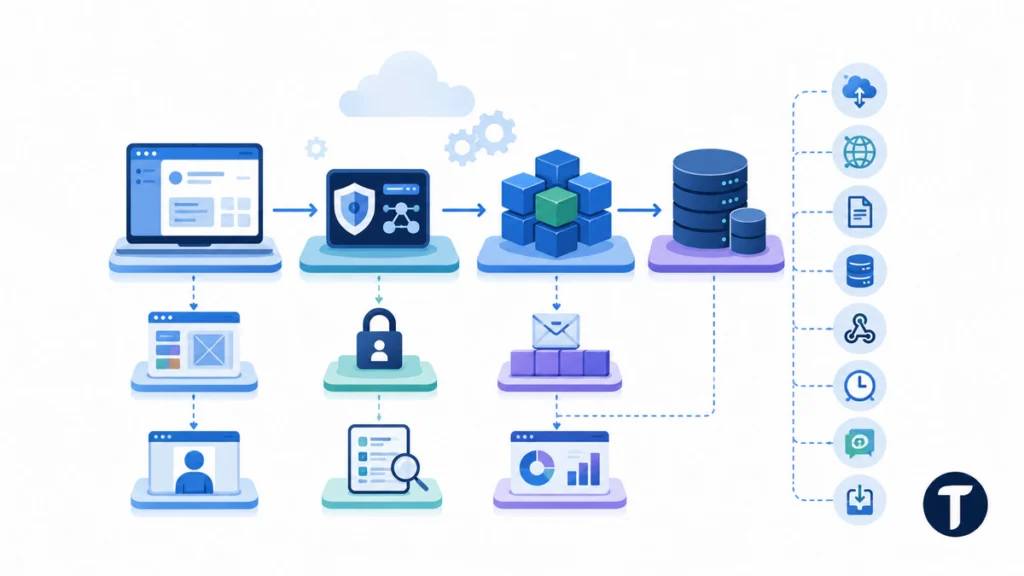
A layer is where a component sits in the system. A role is what it does. A REST API may sit in the service layer and act as an integration boundary. A reporting database may sit in the data layer and act as an analytical store. Keeping those labels separate makes application component classification more precise.
User Interface -> API Gateway -> Business Services -> Data Stores
        |              |              |
   Design System   Auth Service   Event Queue
        |              |              |
 Customer Portal   Audit Logs   Reporting Model
Add Integration Patterns
Integration labels show how software application components exchange data. Useful labels include synchronous API, event publisher, event consumer, file import, database replication, webhook, batch job, message queue, and manual export. These labels are important because integration failures often create business risk outside the component that caused them.
Add Risk, Data, and Ownership Labels
Data and Criticality Labels
Risk labels make the inventory actionable. Mark whether a component handles public, internal, confidential, personal, payment, health, financial, or regulated data. Then add operational criticality: low, medium, high, or mission critical.
These labels help teams decide which software application components need stronger access control, monitoring, backup, disaster recovery, vendor review, and release approval. A low-risk marketing widget and a payment service should not follow the same governance path.
Ownership and Lifecycle Labels
Every component should have an accountable owner. Ownership labels can name the business owner, technical owner, support team, vendor, and escalation route. Lifecycle labels can show whether the component is strategic, actively enhanced, maintained, tolerated, replacing, or ready to retire.
When a team decides whether to extend an internal tool or rebuild it, a custom web app development review can use the same labels to separate useful business capability from outdated implementation details.
Use Tools Without Letting Tools Define the Model
Code and Quality Tools
Tools can support classification, but they should not define the whole taxonomy. Static-analysis platforms such as SonarQube can help identify code quality, security, maintainability, and duplicated-code issues, but they will not tell you which business capability a component supports or who owns the risk.
Testing and QA Labels
Testing labels show how changes should be verified. Some software application components need unit tests, contract tests, integration tests, performance tests, security tests, accessibility checks, or user-acceptance tests. Teams comparing testing approaches defined in ISO/IEC/IEEE 29119 should still define component risk first so test coverage follows business impact rather than tool availability.
A Practical Classification Workflow
Build the First Inventory
- List the applications, services, modules, databases, integrations, reports, and shared libraries in scope.
- Assign one business capability to each item before adding technical labels.
- Label each item by application type, architecture layer, and technical role.
- Add data sensitivity, criticality, owner, vendor, and lifecycle stage.
- Record dependencies that could break customer journeys, finance flows, security controls, or reporting.
- Review the model with product, engineering, security, operations, and finance stakeholders.
- Turn the classification into actions: consolidate, document, test, secure, monitor, replace, or retire.
Keep the Model Light Enough to Maintain
The first inventory should be useful in a spreadsheet, CMDB, architecture repository, or engineering wiki. If the model needs too many custom fields, teams will stop updating it. Start with required labels, then add optional labels only when they drive real decisions.
SaaS App and Domain Examples
SaaS Billing Platform
A SaaS billing platform may include a customer checkout UI, subscription service, payment provider integration, invoice database, tax-calculation connector, webhook handler, admin dashboard, and revenue reports. Those software application components should not share one vague label. The payment service is high sensitivity and high criticality, while a dashboard widget may be medium risk.
Internal Operations Portal
An internal operations portal may include role-based login, workflow queues, file uploads, approval screens, notification services, audit logs, and reporting exports. Application component classification helps the team see which pieces support compliance, which pieces affect users directly, and which pieces can be replaced safely.
Enterprise Application Classification Model
Define the Entity, Phase, and Attributes
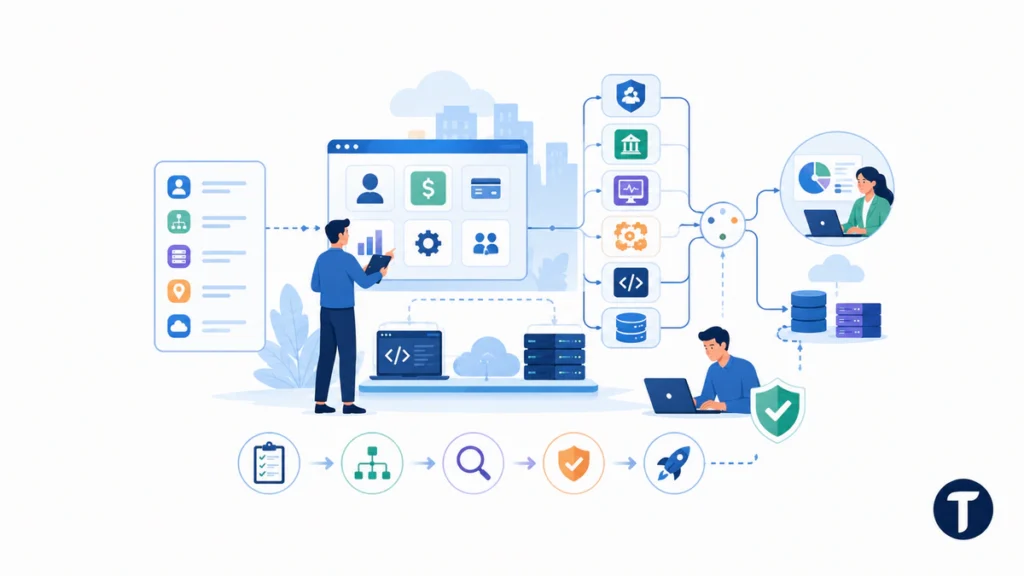
In an enterprise portfolio, each business application should be treated as an entity with a clear definition, owner, business process, runtime environment, server or cloud location, and key attribute fields. A simple grouping can show whether software application components support payroll, productivity, credit card processing, reporting, or customer operations.
For example, a Microsoft identity platform, a SAP finance module, an IBM monitoring tool, a ServiceNow workflow, a Java service running on Apache, and a SQL reporting store may all consume data flows from the same business use case. They are different application assets, but they still need a shared application classification method.
Allocate Components to a Logical Level
Architects and developers can allocate each software component to a logical level before they deploy it. The model can record whether the component is a user input form, servlet, XML feed, web services endpoint, PaaS service, IaaS resource, utility job, validation rule, metric, or security controls layer.
This subset of labels helps information systems evolve without losing context. It also shows where software systems are redundant, where documentation is missing, and where teams need to harden the component before software development continues. One architect and one developer can then align every domain, phase, transaction, Excel export, and user-facing functionality with the same operating view.
Harden Components Before Deployment
The point is not to copy every vendor field. The point is to make software application components easier to compare, assign, and improve. If a label does not help someone make a decision, remove it or make it optional.
Common Classification Mistakes
- Classifying by technology name only, such as React, Python, or PostgreSQL, instead of business role.
- Using one label for a whole platform when different modules have different risk levels.
- Ignoring integrations, batch jobs, queues, and reports because they are less visible than user interfaces.
- Creating too many categories before the team agrees on the decisions the inventory must support.
- Leaving ownership blank, which turns documentation into a passive list instead of an operating tool.
- Treating lifecycle status as permanent instead of reviewing it after product, vendor, or architecture changes.
Questions that come up
What Are Software Application Components?
Software application components are the parts of a software system that provide business, technical, data, integration, security, or user-facing capabilities. They can include applications, modules, services, APIs, databases, queues, reports, libraries, workflows, and interfaces.
Why Classify Software Components?
Classification helps teams understand cost, ownership, risk, dependencies, security exposure, testing needs, and retirement opportunities. Without classification, teams often manage software application components as disconnected tools rather than as part of one operating model.
What Is the Best Classification Method?
The best method starts with the decision goal, then uses a small set of labels: business capability, application type, architecture layer, technical role, data sensitivity, criticality, owner, and lifecycle stage. This keeps application component classification practical.
How Do Software Architecture Models Help?
Software architecture models give teams common language for layers, services, data stores, interfaces, and integration patterns. They make it easier to compare components, spot hidden dependencies, and decide which changes need deeper review.
How Often Should the Classification Be Reviewed?
Review the classification when a major release, vendor change, security finding, integration change, product pivot, or consolidation project happens. A lightweight quarterly review also helps keep ownership and lifecycle labels accurate.
Where to go next
Classifying software application components works best when the model is practical, not academic. Start with the decision goal, use application component classification to organize business and technical labels, apply software architecture models where they clarify structure, and keep ownership, risk, lifecycle, and testing labels current as the system changes.

One Comment
Comments are closed.