SharePoint Consulting: Unlocking the Full Potential of Modern Collaboration
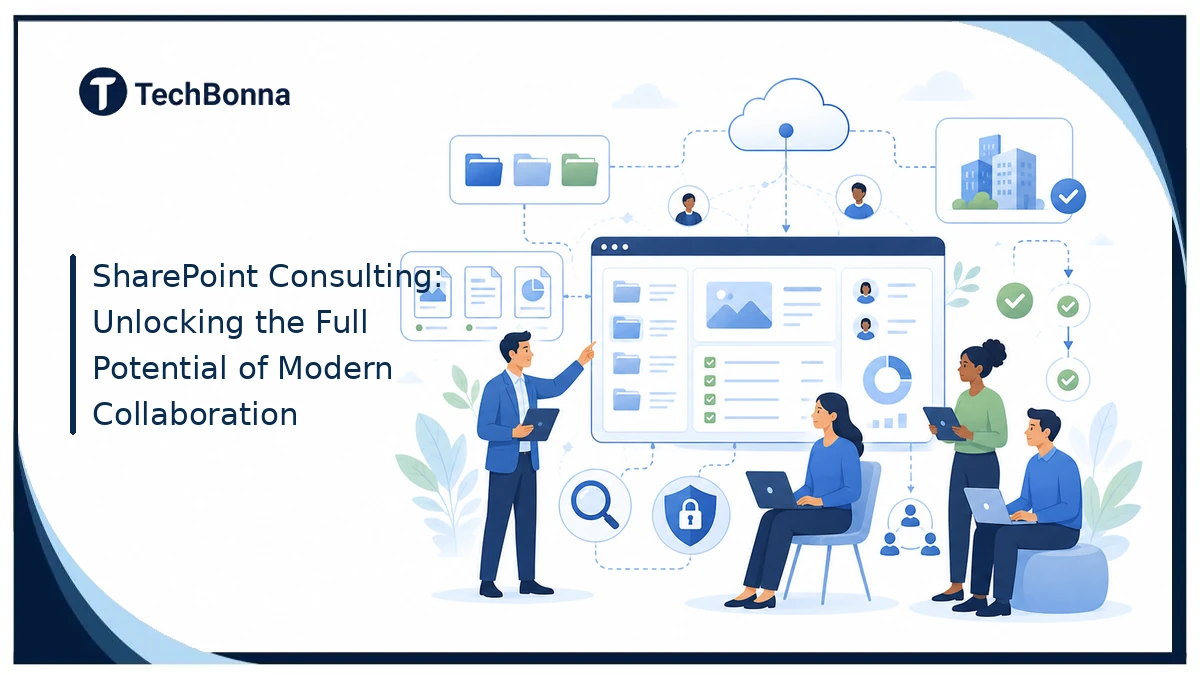
Table of Contents
SharePoint consulting helps organizations turn a flexible platform into a useful digital workplace. A clear SharePoint implementation plan connects people, documents, knowledge, and workflows instead of creating another place employees must search.
When it supports real work, Microsoft 365 collaboration becomes simpler, safer, and easier to scale. The difference comes from thoughtful architecture, governance, automation, training, and continuous improvement.
What it means
SharePoint consulting is professional guidance for planning, configuring, migrating, governing, and improving SharePoint. A consultant studies business processes, designs sites and information architecture, sets permissions, connects Microsoft 365 tools, automates suitable workflows, and supports adoption. The goal is a secure, searchable, and manageable collaboration environment that helps people complete real work.
Why Organizations Use SharePoint Consulting
Many organizations already have SharePoint through Microsoft 365, but access to the platform does not produce a good digital workplace by itself. Teams may create disconnected sites, duplicate documents, inconsistent permissions, and workflows that still depend on email. Professional sharepoint consulting brings those decisions into one practical roadmap.
SharePoint consulting starts with the business problem. That might be slow document approval, poor search, uncontrolled external sharing, an outdated intranet, or a file-server migration. The technical design then supports that need rather than forcing every department into the same template.
The most valuable consulting work makes SharePoint easier to use and easier to govern at the same time. It balances flexibility for teams with enough structure to prevent confusion, risk, and expensive cleanup later.
What a SharePoint Consultant Actually Does
The SharePoint consulting role combines business analysis, solution design, Microsoft 365 knowledge, project delivery, and change management. Some engagements focus on a single migration or intranet. Others establish a long-term operating model for sites, content, automation, and support.
Discovery and Requirements Planning
Consultants interview stakeholders, map important processes, review current tools, and identify where information becomes hard to find. They separate must-have requirements from preferences and document success measures such as faster approvals, fewer duplicate files, better search, or lower support demand.
Information Architecture and Site Design
Information architecture determines how sites, libraries, lists, pages, metadata, navigation, and search work together. A consultant designs a structure that reflects how users look for information. This often means relying on clear hub sites, content types, metadata, and search rather than deep folders and a large network of subsites.
Configuration, Integration, and Automation
A SharePoint consultant can configure intranet pages, team sites, document libraries, retention settings, forms, lists, and approval flows. Integrations may connect SharePoint with Teams, OneDrive, Power Automate, Power Apps, reporting tools, or line-of-business systems. Custom development should be used only when standard configuration cannot meet a valuable requirement.
Training, Adoption, and Support
Even a technically sound platform can fail if employees do not understand where content belongs or why the new process is better. Consultants prepare role-based training, owner guidance, launch communications, support routes, and adoption measures. They also help internal administrators manage the system after handover.
How Consultants Design a Usable SharePoint Environment
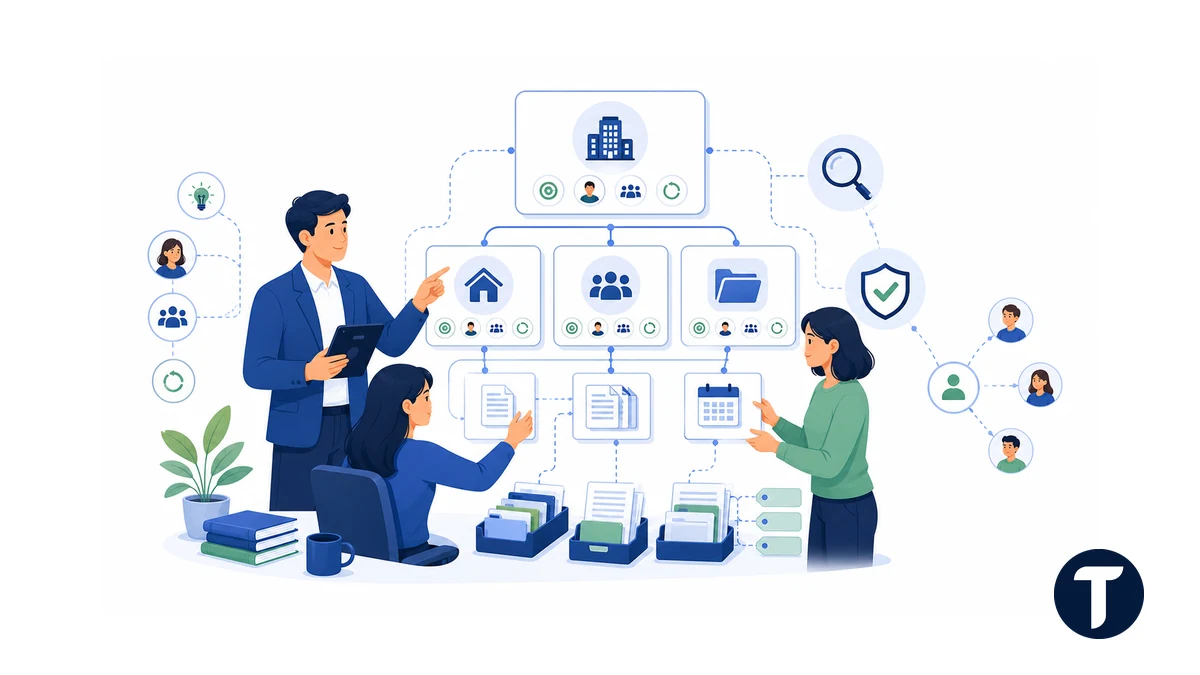
A usable environment gives every site a purpose, owner, audience, and lifecycle. Before building pages, the consultant defines which information belongs in communication sites, team sites, libraries, lists, Teams channels, or other systems.
This design approach matches Microsoft’s SharePoint and OneDrive guidance, which describes SharePoint and OneDrive as services for sharing and managing content, knowledge, and applications. The guidance also highlights migration, governance, Teams integration, and secure collaboration as core planning areas.
Sites, Hubs, and Navigation
Modern SharePoint architecture is usually flatter than older deployments. Hub sites can connect related communication and team sites without creating rigid hierarchies. Navigation should use labels employees recognize, and prominent landing pages should lead to frequent tasks rather than repeat the organization chart.
Libraries, Metadata, and Search
Document libraries need clear ownership, naming rules, metadata, version settings, and retention choices. Useful metadata improves filtering and search, but too many required fields can slow adoption. Consultants test the structure with real documents and real search questions before migrating large volumes of content.
Permissions and External Sharing
Permissions should be role-based and understandable. Owners need a safe way to add members, share with guests, and review access without relying on individual file permissions everywhere. Sensitive areas may need tighter controls, while general collaboration spaces can use simpler group membership.
A Practical SharePoint Implementation Roadmap
A strong SharePoint implementation moves in controlled stages, supported by clear SharePoint consulting decisions. The exact timeline depends on scope, content volume, integrations, compliance needs, and the number of user groups involved.
- Define outcomes. Agree on the business problems, users, owners, risks, and success measures.
- Assess the current environment. Inventory sites, file shares, content, permissions, processes, and connected systems.
- Design the target architecture. Map hubs, sites, navigation, libraries, metadata, search, permissions, and lifecycle rules.
- Build a pilot. Configure one representative area and test it with real users and content.
- Prepare and migrate content. Remove duplicates, assign owners, map metadata, test permissions, and validate migration results.
- Launch with training. Explain what changed, where information belongs, and how users get help.
- Measure and improve. Review adoption, search behavior, support issues, stale sites, workflow performance, and owner feedback.
The pilot is important because it exposes design assumptions before they affect the whole organization. It also creates trained advocates who can explain the new way of working in language their colleagues understand.
Governance, Security, and Lifecycle Management
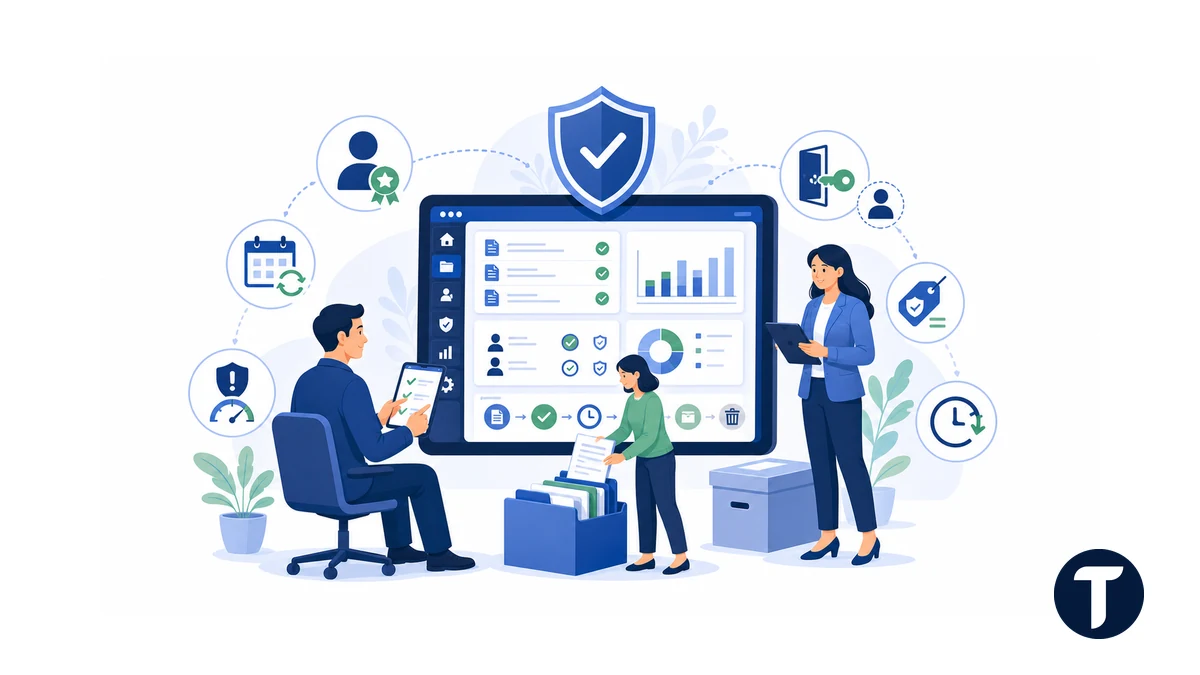
Governance is the set of decisions that keeps SharePoint useful after launch. It should explain who can create sites, who owns them, how names are chosen, how guests are managed, which content needs retention, and what happens when a project or department closes.
The National Archives’ information management policy guidance is a useful outside reference here, because it treats ownership, review cycles and retention as policy decisions that exist independently of whichever platform stores the records.
Use Clear Ownership and Review Cycles
Every active site should have at least one accountable owner and a regular review date. Owners confirm membership, external users, business purpose, important content, and whether the site should remain active. Automated reminders can support this process, but someone must still make the decision.
Match Controls to Information Risk
Not every site needs the same restrictions. A public policy library, an internal project space, and a legal matter site have different audiences and risks. Consultants help classify information and apply suitable sharing, retention, sensitivity, and access controls without making routine collaboration unnecessarily difficult.
Plan for Archiving and Deletion
Site sprawl grows when creation is easy but closure has no owner. A lifecycle process can identify inactive spaces, contact owners, archive records, remove unnecessary guest access, and delete content only when policy allows. This keeps search results cleaner and reduces long-term administration.
Workflow Automation and Microsoft 365 Integration
SharePoint becomes more useful when it supports a complete process rather than only storing the final document. Power Automate can route approvals, send reminders, create tasks, update records, or notify the right team when information changes. Power Apps can provide a tailored form or interface when a standard list form is too limited.
The best automation candidates are repetitive, rules-based, and measurable. Examples include policy reviews, purchase requests, employee onboarding tasks, contract approvals, equipment requests, and controlled document publishing. A consultant should also design exception handling, ownership, audit history, and support so the workflow remains dependable.
Teams integration is equally important. Files shared in a Teams channel are stored in SharePoint, so site structure, permissions, naming, and lifecycle decisions affect the Teams experience. Good Microsoft 365 collaboration design treats Teams, SharePoint, and OneDrive as connected services with different jobs.
Business Benefits and Success Measures
The business case for SharePoint consulting should connect platform changes to observable outcomes. A redesigned intranet might reduce time spent searching for policies. A controlled document process might shorten approvals and make version history easier to audit. A migration might remove duplicate storage and give remote teams secure access to current files.
For teams treating SharePoint as more than a file repository, understanding how a modern employee intranet connects communication and culture can help translate technical capabilities into an experience employees will use every day.
These changes can also help organizations improve operational efficiency with technology by reducing manual handoffs, disconnected information, and unclear ownership. The internal link provides a broader view of how workflow design and business technology support measurable efficiency.
| Goal | Useful Measure |
|---|---|
| Find Information Faster | Search success, fewer repeated questions, and reduced time to locate key documents |
| Improve Collaboration | Active users, coauthoring, shared workspace use, and fewer emailed attachments |
| Speed Up Processes | Approval time, completed workflows, exception rate, and manual steps removed |
| Strengthen Governance | Owned sites, completed access reviews, stale sites closed, and guest access reviewed |
| Increase Adoption | Active users, trained owners, support trends, and satisfaction feedback |
Success is not the number of sites created. It is whether people can complete important work more clearly, safely, and consistently than before.
When to Hire a SharePoint Consultant
Outside expertise is most useful when the organization faces a high-impact decision or lacks enough internal capacity. A small configuration change may not need a consultant, but migration, intranet redesign, governance recovery, complex automation, or poor adoption can justify specialist help.
- You are moving from file servers, legacy SharePoint, or another collaboration platform.
- Users cannot find authoritative documents or regularly work from outdated copies.
- Sites and Teams are growing without consistent ownership or permissions.
- An intranet exists, but employees rarely use it or do not trust its content.
- Manual approvals and email-based processes create delays or weak audit trails.
- Security, retention, guest access, or compliance requirements are difficult to translate into platform settings.
- Internal administrators need architecture guidance, delivery support, or a clear handover model.
Questions to Ask Before Choosing a Consultant
Ask how the consultant approaches discovery, governance, migration testing, user adoption, documentation, and handover. Request examples that resemble your organization in complexity, not only in industry. Clarify what will use standard Microsoft 365 features, what requires custom development, and who will maintain the solution.
A credible proposal should define deliverables, responsibilities, assumptions, risks, decision points, and acceptance criteria. It should also explain how the work will be tested with users before a broad rollout.
Things people ask
What Is Included in SharePoint Consulting?
Services may include strategy, requirements discovery, architecture, intranet design, configuration, migration, governance, permissions, workflow automation, integration, training, adoption, support, and health checks. Scope should follow the business problem rather than a standard feature list.
How Long Does a SharePoint Implementation Take?
A focused pilot can take several weeks, while a large migration or intranet program may take months. Timing depends on content cleanup, stakeholder decisions, integrations, security requirements, testing, and training.
Can SharePoint Replace a File Server?
SharePoint can replace many shared-drive use cases, especially when teams need secure access, version history, metadata, search, coauthoring, and workflow. It is not a direct folder-for-folder copy, so content cleanup and information architecture should happen before migration.
Does SharePoint Work With Microsoft Teams?
Yes. Teams uses SharePoint to store channel files. A well-planned environment coordinates Teams workspaces, SharePoint sites, OneDrive, permissions, and lifecycle rules so users understand where different types of content belong.
The takeaway
SharePoint consulting delivers the most value when it connects platform choices to real work. A disciplined SharePoint implementation combines clear architecture, secure governance, practical automation, user testing, and long-term ownership. With those foundations in place, Microsoft 365 collaboration can help teams find information, complete workflows, and work together with less friction.