
Can CPAP Be Used Without WiFi or Internet? A Complete Guide
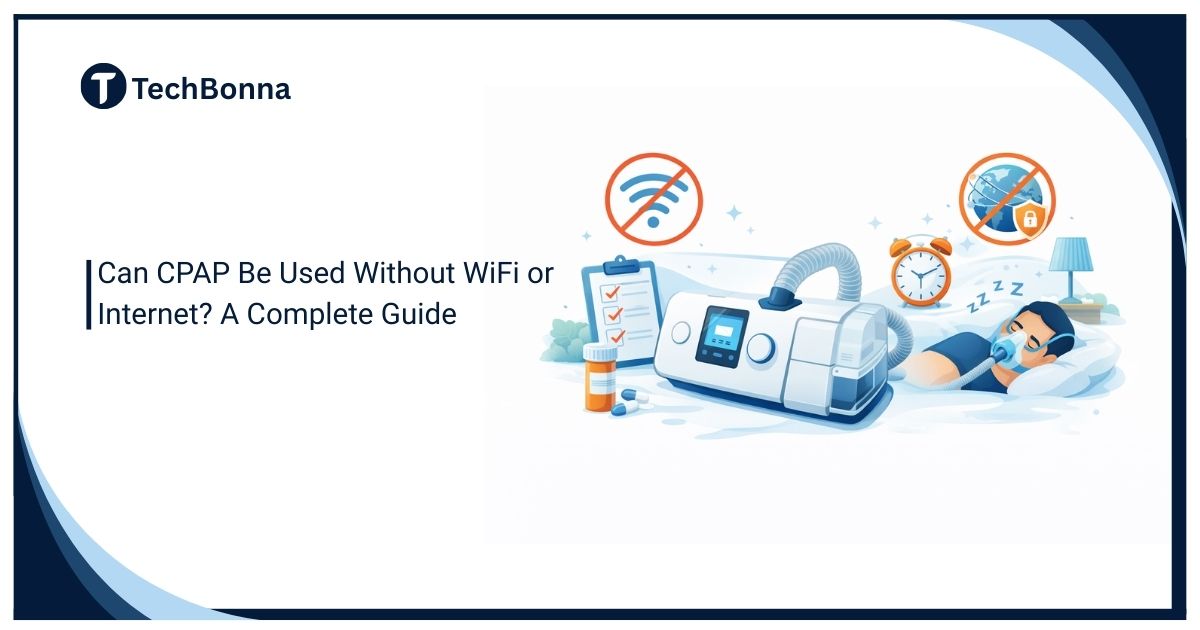
Table of Contents
CPAP connectivity can be confusing because many newer machines connect to apps, dashboards, and remote-monitoring systems. People asking Can CPAP Be Used Without WiFi or Internet usually want to know whether treatment will continue when their router, phone, or internet service is unavailable.
When WiFi drops, users may worry that the treatment itself has stopped or that missing app data means the machine did not work overnight. However, using CPAP without WiFi is often possible because treatment and data reporting are usually separate functions.
This guide explains Does CPAP Need Internet access for therapy, what normally keeps working offline, what may stop syncing, and when you should contact your sleep clinic, equipment provider, or manufacturer for device-specific guidance.
The short explanation
Yes, many CPAP machines can deliver therapy without WiFi or an active internet connection. The airflow, pressure delivery, humidification, ramp, and mask functions are usually controlled by the machine itself, not by your home router. Therefore, the answer to Can CPAP Be Used Without WiFi or Internet is usually yes, provided that the machine has power, is functioning normally, and retains the prescribed settings.
Internet access is normally used for data syncing, remote monitoring, software features, and app-based reports. This means that CPAP without WiFi may continue delivering therapy even though an app or clinician dashboard temporarily shows missing information.
This guide is not medical advice. Follow your prescription, your clinician’s instructions, and your device manual. If your machine shows an alarm, pressure problem, water issue, or therapy error, contact your sleep clinic, equipment provider, or manufacturer before changing settings.
Therapy Operation vs Data Syncing
The question Can CPAP Be Used Without WiFi or Internet can mean two different things. The first question is whether the machine can still deliver prescribed air pressure while you sleep. The second is whether your doctor, app, or supplier can automatically receive the usage data.
For most users, the therapy function and the reporting function are separate. A modern CPAP machine documented by Cleveland Clinic is built to deliver continuous positive airway pressure as a medical device. Connectivity may improve convenience, but it is not the same thing as the treatment itself.
When people ask Does CPAP Need Internet, they may actually be asking whether their app, insurance provider, or clinician needs an internet connection to receive reports. Those reporting features may depend on connectivity even when therapy does not.
That said, every model is different. Some machines use cellular modems, some use WiFi, some use Bluetooth, some store data on an SD card, and some combine several methods. Always check the manual for your exact model before relying on general guidance about using CPAP without WiFi.
For one current model, the 2024 ResMed AirSense 11 user guide explains that therapy data can be stored on an SD card and sent to the cloud when connectivity is enabled, while software updates may use Bluetooth, WiFi, cellular networks or a combination. That model-specific distinction is why users should check their own manual rather than assume every machine handles offline data identically.
What Usually Still Works Offline
If the device has power, the correct prescription settings, a working mask, and the required accessories, its core therapy functions commonly work without home internet:
- Prescribed pressure delivery.
- Ramp or comfort settings already saved on the device.
- Humidifier and heated-tube settings, if available.
- Basic screen menus and on-device usage data.
- SD-card recording on models that support it.
Offline use is common during travel, rural internet outages, hotel stays, or temporary router problems. In these situations, CPAP without WiFi may work normally because the machine controls treatment locally.
Some machines may display a message saying data cannot upload, but that message does not automatically mean therapy has stopped. Look for treatment alarms or error codes rather than assuming that a WiFi symbol reflects a problem with airflow.
What May Not Work Without WiFi
Connectivity features are different from the airflow function. Without internet or wireless service, you may lose or delay:
- App reports.
- Remote compliance uploads.
- Clinician dashboards.
- Cloud backups.
- Firmware updates.
- Automatic supply reminders.
The machine may not need internet to deliver treatment, but certain reporting, monitoring, and software features may need a connection.
For example, a sleep clinic may not see last night’s data until your machine reconnects or until you provide an SD-card report. An app may show missing nights even though the device recorded use locally.
Insurance compliance programs may also depend on uploaded usage data. If compliance reporting affects your insurance coverage or employment requirements, ask your provider how nights using CPAP without WiFi will be recorded.
If compliance reporting matters for insurance or employment, do not guess. Ask your durable medical equipment supplier how your specific machine stores and transmits data when disconnected.
Device Types and Connectivity Differences
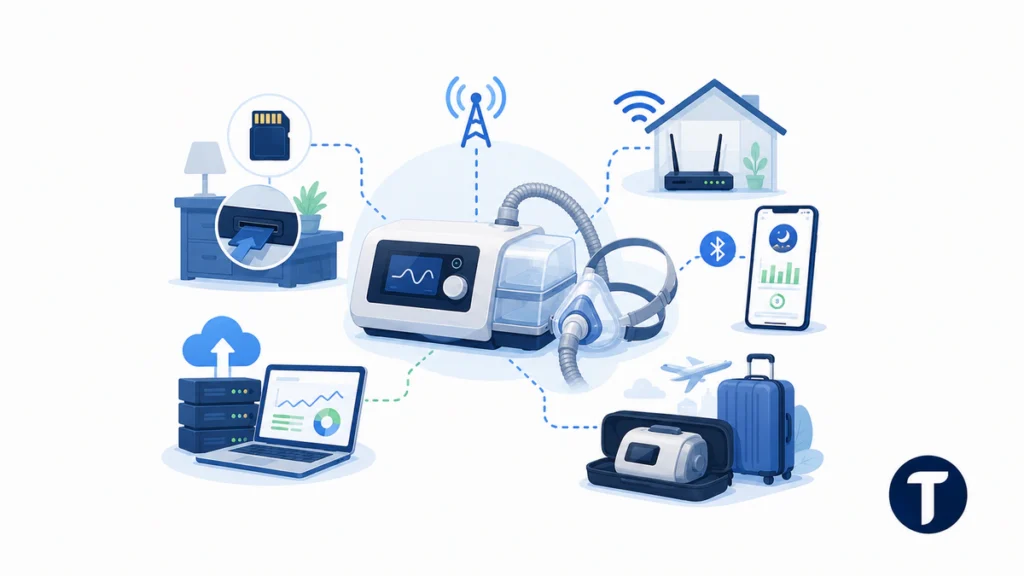
Older CPAP models may store information on an SD card only. Many newer machines use built-in cellular connectivity rather than your home WiFi. Some connect to a phone app through Bluetooth and then sync from the phone to a cloud account.
Travel CPAP models may have fewer reporting features than full-size bedside units. A machine may also use more than one connection method, such as cellular service for automatic uploads and an SD card for local storage.
The accurate answer to whether CPAP needs internet depends on the exact device, the prescription workflow, and the reason connectivity is being used.
Advice that says every CPAP requires WiFi is too broad. Advice that says connectivity never matters is also incomplete because reporting and compliance systems may depend on it.
Safe Offline Checklist Before Bed
Use this checklist if your internet is out but your CPAP appears otherwise normal:
- Confirm that the machine powers on normally.
- Check the mask, hose, filter, water chamber, and power supply.
- Look for therapy alarms or error codes, not only WiFi symbols.
- Confirm that your usual prescription settings are still saved.
- Use the device only as prescribed.
- Write down any connectivity messages for your provider.
- Check whether the machine records data locally.
The main goal is to confirm that the medical device itself is operating correctly rather than focusing only on the app or internet indicator.
Following this checklist can make using CPAP without WiFi less confusing. The main goal is to confirm that the medical device itself is operating correctly rather than focusing only on the app or internet indicator.
If you see pressure warnings, burning smells, water damage, unusual noise, or repeated shutdowns, stop and seek professional support. Do not keep using a device that appears unsafe just because the problem began during an internet outage.
Travel and Power Outages
WiFi is only one part of reliable CPAP use. Travel and outages also raise questions about power adapters, battery packs, extension cords, distilled water, cleaning, altitude settings, and airline rules.
For travel, bring the manufacturer-approved power supply and enough accessories for the trip. If you use a battery, confirm compatibility with your model and pressure settings. Heated humidification can drain batteries faster, so ask your provider how to plan for overnight use.
A machine may operate without WiFi but cannot provide treatment without a compatible source of electrical power.
People researching Can CPAP Be Used Without WiFi or Internet should distinguish an internet outage from a power outage. A machine may operate without WiFi but cannot provide treatment without a compatible source of electrical power.
For outages, some users keep an approved backup battery or discuss a power-failure plan with their clinician. If sleep apnea is severe or you have other medical conditions, this planning is more important.
When to Contact Your Clinician
Contact your sleep clinic or equipment supplier if:
- Your machine will not start therapy.
- Your prescription settings appear to have changed.
- Compliance data is missing.
- You need to use the device offline for an extended period.
- The machine repeatedly displays errors.
- You are unsure whether offline sessions are being stored.
Also ask for help if app data conflicts with how you feel because app summaries can lag after reconnection. A delayed report does not necessarily mean treatment failed.
You should not change pressure settings based only on internet or app problems. Pressure changes should come from a clinician or an approved adjustment process.
Why Some Apps Show Missing Data
Many CPAP users first notice a connectivity issue because their phone app shows a blank night or delayed score. That can happen even when the machine worked normally.
The device may store the session locally and upload it later when cellular service, Bluetooth, or WiFi returns. This delayed syncing is one reason CPAP without WiFi can appear not to have worked even when treatment was delivered.
Do not judge the success of therapy only from a delayed app screen. Also consider whether you used the machine for the full night, whether the mask fit well, and whether the device screen shows normal usage.
If the missing data affects compliance reporting, contact the provider quickly so the records can be recovered if possible.
Questions for Your Equipment Provider
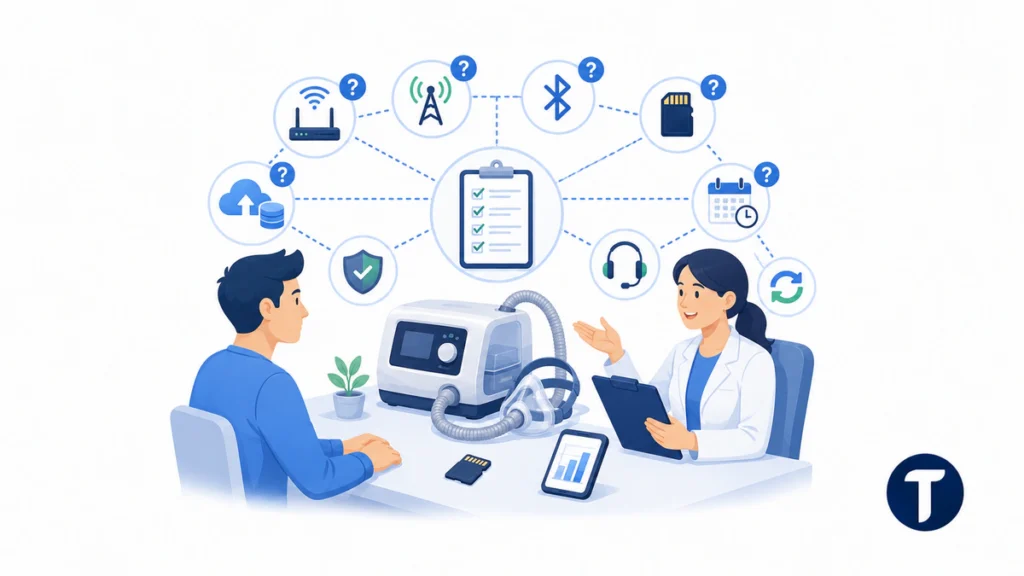
Ask these practical questions when you receive a CPAP machine, not after the first outage:
- Does this model use WiFi, cellular service, Bluetooth, or an SD card?
- Where is therapy data stored if the connection fails?
- How long can the machine store offline data?
- Can I bring or mail an SD card if uploads fail?
- Will offline nights count toward insurance compliance?
- Who should I call if the app and device screen disagree?
- Does CPAP need internet for any model-specific feature?
- Will the machine automatically upload stored data after reconnecting?
These answers can vary by supplier, machine, and country. A written answer is helpful if insurance compliance or employment medical clearance depends on recorded use.
What Not to Do
Do not reset the machine, change clinical settings, or remove data cards just because the WiFi symbol looks wrong. Do not tape over vents, use non-approved hoses, or use a damaged power adapter.
Do not ignore repeated alarms, water leaks, overheating, pressure errors, or unexpected shutdowns. These are device-safety issues rather than ordinary internet problems.
Connectivity problems are annoying, but therapy safety comes first. Treat an internet issue as a reporting problem unless the device itself indicates that therapy is not working.
Examples of Normal Offline Situations
A hotel WiFi login screen may block your machine from uploading, but therapy can still run if the machine does not require that connection.
A rural home may have unreliable broadband, yet the CPAP may use cellular data or local storage. A storm may knock out the router while household power remains on.
The useful question is whether the medical device has power, whether it is delivering the prescribed pressure, and whether it is storing usage data locally.
In each situation, the useful question is not simply Does CPAP Need Internet. You should also ask whether the medical device has power, whether it is delivering the prescribed pressure, and whether it is storing usage data locally.
Keep a simple sleep log during outages. Note your bedtime, wake time, mask problems, and any error messages. This gives your clinician context if the app later shows incomplete data.
Review Schedule for This Page
CPAP connectivity changes as manufacturers update machines, apps, and compliance systems. This article should be reviewed at least twice a year and sooner if a major manufacturer changes its reporting workflow.
The review should confirm:
- Device connectivity examples.
- Official manual language.
- Clinical safety wording.
- App and reporting behavior.
- Insurance compliance procedures.
- Whether recalled or discontinued models need special notes.
Any future answer to Can CPAP Be Used Without WiFi or Internet should remain tied to current device documentation because software updates and reporting changes can affect how offline data appears.
Things people ask
Will My CPAP Stop Working If My Router Fails?
Usually no, provided that the machine has power and is otherwise functioning normally. The router problem may delay uploads, but the device may still deliver prescribed pressure.
Using CPAP without WiFi does not automatically mean using CPAP without treatment. Check the device screen and any therapy alerts to confirm normal operation.
Does CPAP Need Internet Every Night?
Usually not for pressure delivery, but the answer depends on the machine. Internet, cellular service, or Bluetooth may be used for reporting, app features, compliance uploads, or remote monitoring.
Check your manual and ask your equipment provider Does CPAP Need Internet for any feature that is important to your treatment or compliance requirements.
Can My Doctor Still See My Data?
Often yes, but the timing may change. The machine may upload the stored information later, use cellular service, or require an SD-card report.
Ask your provider how your exact model handles offline nights and how long it can retain data before reconnecting.
Is It Safe to Use CPAP While Traveling?
It can be, but use the approved power supply, follow airline and battery rules, and keep your prescribed settings. Ask your clinician for guidance if you have severe sleep apnea or other medical conditions.
For travel, confirm in advance whether your machine supports CPAP without WiFi and how it saves therapy information when automatic uploads are unavailable.
Can CPAP Be Used Without WiFi or Internet During an Outage?
Often yes, as long as electrical power remains available and the machine is functioning normally. A router or broadband outage may interrupt data syncing without interrupting pressure delivery.
However, a power outage is different from an internet outage. You may need a compatible backup battery or another manufacturer-approved power source.
Will Offline CPAP Use Count Toward Insurance Compliance?
It may, but the reporting process varies. Some machines retain data and upload it after reconnecting, while others may require an SD-card review.
Ask your equipment supplier how it records and verifies nights when you use CPAP without WiFi.
If in doubt, treat the offline issue as a question for your provider rather than a reason to self-adjust therapy.
What this means in practice
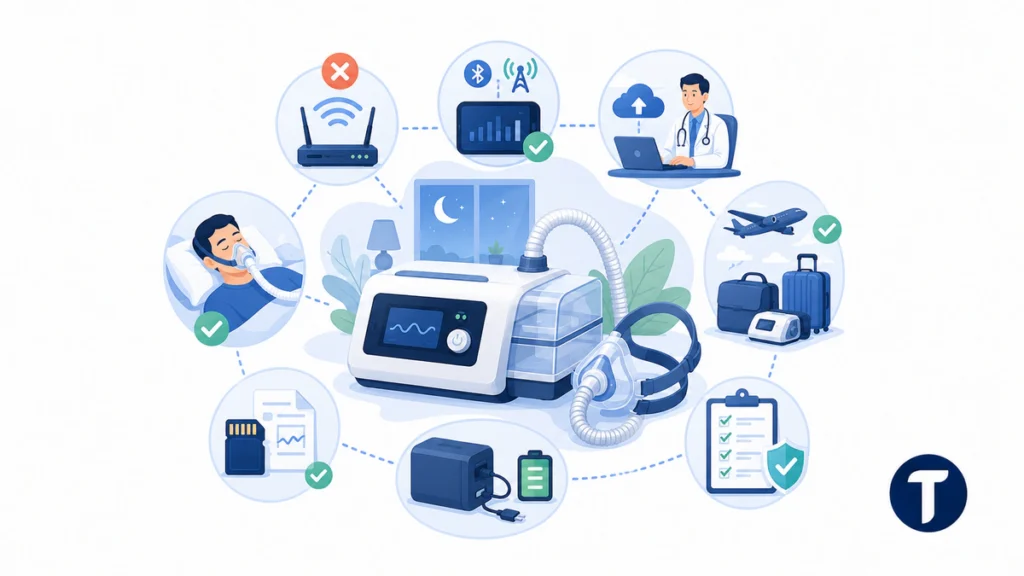
The answer to Can CPAP Be Used Without WiFi or Internet is usually yes. CPAP therapy generally does not depend on home WiFi in the same way a streaming device or smart speaker does.
The machine can often continue delivering therapy offline while reporting and remote-monitoring features wait until the device reconnects. Therefore, CPAP without WiFi is usually a connectivity and reporting issue rather than a treatment interruption.
Still, the safe answer is device-specific. Check your manual, protect the prescribed settings, keep records during outages, and ask your clinician how your machine handles offline data.
When asking Does CPAP Need Internet, identify whether you mean therapy delivery, app access, clinician monitoring, or insurance compliance. Those functions may have different connectivity requirements.



One Comment
Comments are closed.