How to Manage Multiple Social Media Accounts Safely
Table of Contents
Introduction
Managing one brand online can feel busy. Managing ten can feel like walking through a room full of open tabs, urgent messages, half-finished captions, and passwords you should never paste into Slack.
If you manage multiple social media accounts, safety has to come before speed. One weak login, one shared IP pattern, or one confused team member can put a social media account at risk.
Quick Answer
To manage multiple social media accounts safely, use separate logins, clear permissions, a social media calendar, secure browser profiles, and rotating residential proxies with sticky sessions.
The safest setup makes each social media account look and behave like a real, separate identity.
Here is the short checklist:
- Use unique passwords for every social media account.
- Turn on two-factor authentication.
- Give team members only the access they need.
- Use a social media management tool for publishing and approvals.
- Keep each brand in its own browser profile.
- Use rotating residential proxies for IP diversity.
- Use sticky sessions during logins, posting, and replies.
- Review account access each month.
This is how you manage multiple social media accounts without turning your workflow into a security problem.
Why Managing Multiple Social Media Accounts Gets Risky
A single social media account has one login pattern, one brand voice, and one security trail.
If you are reviewing new social tools for a brand account, it also helps to compare communication features before you move important conversations. TechBonna’s guide to XChat as a messaging platform and WhatsApp alternative explains what to verify around privacy, encrypted messages, account access, and feature availability.
When you manage multiple social media accounts, that trail expands. You may post for multiple clients, answer DMs, check comments, review ad alerts, and report on performance across multiple social media platforms.
That creates risk.
A social media platform may flag strange behavior when many accounts log in from the same IP address, switch fast, or repeat the same actions. To the system, that can look less like a real social media manager and more like a bot network.
Multiple social media accounts means more reach, but it also means more ways to trigger account reviews.
Security research supports this cautious approach. Verizon’s 2024 Data Breach Investigations Report found that stolen credentials were the top initial action in breaches at 24%. That matters because account managers often share access across teams, clients, and contractors.
The FTC also reported that social media was the costliest fraud contact method in 2025. Reported losses from scams that began on social media reached $2.1 billion, according to new FTC data on social media scams.
That is why safety is not extra admin work.
It is part of the job.
Build a Solid Social Media Strategy First
A solid social media strategy gives every account a clear role.
Without a plan, managing social media turns reactive. You jump between accounts, rush posts, reuse captions, and approve content too fast. Mistakes happen in that kind of noise.
A clear social media strategy keeps speed from turning into chaos.
Your plan should define:
- The goal of each social media account
- The audience for each account
- The posting schedule
- The approval path
- The person responsible for replies
- The rules for urgent issues
- The login and access process
This matters across multiple social media networks because every channel has a different use. An Instagram account may need visual storytelling. LinkedIn may need a sharper business voice. TikTok may need short clips and trend checks.
Your overall social media strategy should also say what not to do.
Do not reuse the same caption across various social media pages without review. Do not share passwords in chat. Do not give full admin access to someone who only needs to schedule social media posts.
This is the base for successful social media management.
Use a Social Media Management Tool for Control
A good social media management tool helps you manage multiple accounts from one safer hub.
It also cuts down on direct logins.
That matters because shared passwords create blind spots. If five people use the same login, you may not know who posted, edited, deleted, or clicked a risky link.
Use a social media management platform to reduce password sharing and create a clean activity trail.
Tools for managing multiple social workflows include Sprout Social, Buffer, Hootsuite, Later, and similar options. Sprout Social is a common choice for teams that need publishing, approvals, reporting, and social listening in one place.
The best tools for managing multiple accounts should include:
- Role-based permissions
- Approval workflows
- Post previews
- Team comments
- Activity logs
- Shared inboxes
- Reporting by brand
A social media management platform can help you manage multiple accounts with less risk, but it does not replace good rules.
Give each person the least access they need. A writer may draft. A designer may upload assets. A lead may approve. Only a few people should hold admin access.
Treat admin access like a master key.
Protect Every Social Media Account Login
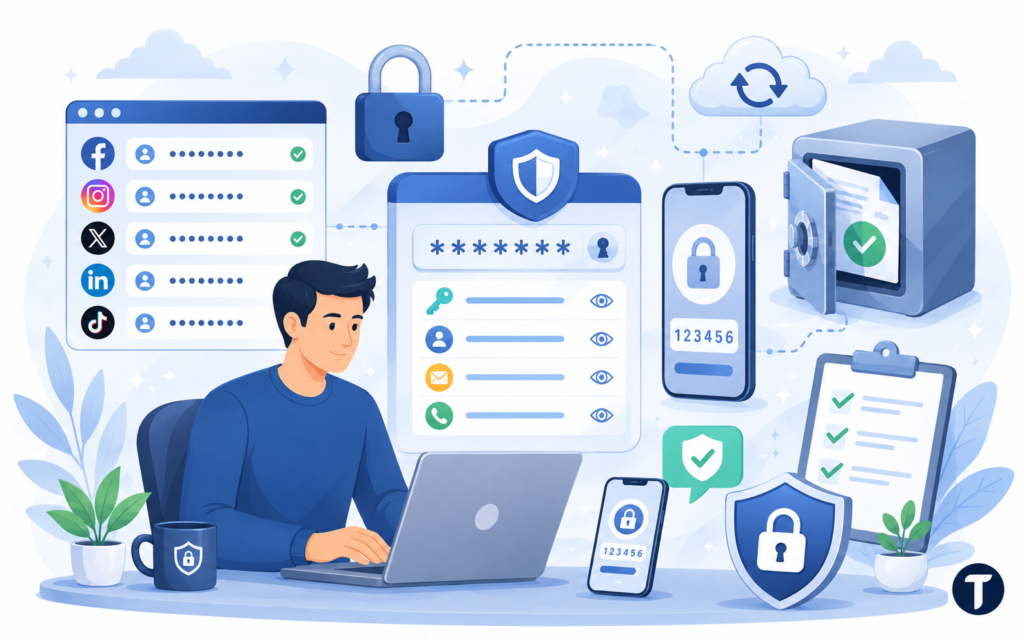
Every social media account needs a unique password. No repeats. No client passwords in spreadsheets. No “temporary” password sitting in a chat thread for six months.
A weak password on one social media account can put the full system at risk.
Use a password manager to create and store long passwords. Share access through the manager instead of exposing the plain text password.
Turn on two-factor authentication for every social media account. Use an authenticator app when possible. SMS is better than nothing, but app codes are safer.
That ordering is not a preference. NIST Special Publication 800-63B treats SMS-based out-of-band authentication as a restricted authenticator because the message can be intercepted or redirected, which is exactly the failure a hijacked client account tends to involve.
Microsoft’s 2024 Digital Defense Report says more than 99% of identity attacks are password attacks. That makes strong authentication a practical need, not a nice upgrade.
You should also store recovery codes, owner emails, backup phone numbers, and admin names.
This sounds boring.
It saves you when a client says, “We are locked out.”
Separate Accounts From the Same Device
Many people run multiple social accounts from one laptop.
That can work, but you need clean separation.
Accounts from the same device can share signals. A platform may see cookies, browser data, device IDs, and IP address patterns. If everything blends together, the accounts may start to look connected.
Accounts from the same device need separate browser profiles, clean sessions, and clear labels.
Create one browser profile for each brand or client. Name each profile with care, such as “Brand A Instagram” or “Client B LinkedIn.”
Keep bookmarks, cookies, saved logins, and workspace links separate.
This makes it easier to manage daily work. It also cuts the chance of posting from the wrong account.
Use separate folders for:
- Brand assets
- Approval notes
- Login records
- Content drafts
- Reports
- Voice guides
This system helps you handle multiple social workflows without mixing brands.
It also supports teams that manage dozens of accounts or multiple brands at once.
Use Rotating Residential Proxies for IP Management
Here is where safety becomes technical.
When you manage multiple social media accounts, it helps to understand how proxies work on WiFi. Your IP address becomes part of each account’s digital fingerprint. If ten accounts log in from the same IP, a platform may see a pattern. That pattern can trigger CAPTCHA checks, shadowbanning, login holds, or account reviews.
Rotating residential proxies give each social media account a more natural IP path.
Residential proxies use IP addresses assigned to real households. For social media work, they are stronger than datacenter proxies because the traffic looks closer to normal user behavior.
Datacenter IPs can be fast and cheap, but platforms may distrust them because they are common in spam and automation abuse.
The goal is IP diversity.
Each account should have a stable, believable login story. A brand in Chicago should not appear to log in from Texas, then Florida, then Germany in a single morning.
This is where a service that can automatically cycle through different outbound connections becomes a mechanical safety layer. It helps you manage multiple social media accounts by giving each account a cleaner network identity.
Geo-targeting adds another benefit.
If you manage an Instagram account for a bakery in Chicago while you sit in another state, a Chicago residential proxy can make the activity look local. That helps keep the account’s location story consistent.
This is not about hiding abuse.
It is about making normal management activity look normal to the platform.
Standard Rotation vs Sticky Sessions
A rotating proxy changes IPs after a set time or request count.
That can work for some web tasks, but a social media account needs more consistency.
Sticky sessions keep the same IP during a task. That task may include logging in, posting, answering comments, checking messages, or reviewing alerts.
Sticky sessions matter because one login session should not look like impossible travel.
Picture this.
You log into a social media account from Miami. One minute later, the account posts from Denver. A few minutes after that, it replies from Seattle.
That looks suspicious.
Sticky sessions prevent that. The IP stays the same while you work. After the task ends, rotation can happen under safer rules.
Use this workflow:
- Assign a residential proxy to the account session.
- Keep the session sticky during login and work.
- Avoid IP changes during posting or messaging.
- Match proxy location to the brand’s market.
- Keep a simple record of each account’s region.
This setup helps you manage multiple accounts across locations without giving every brand the same network footprint.
It also helps you manage multiple social media accounts effectively when your team works from one office.
Use a Social Media Calendar to Avoid Mistakes
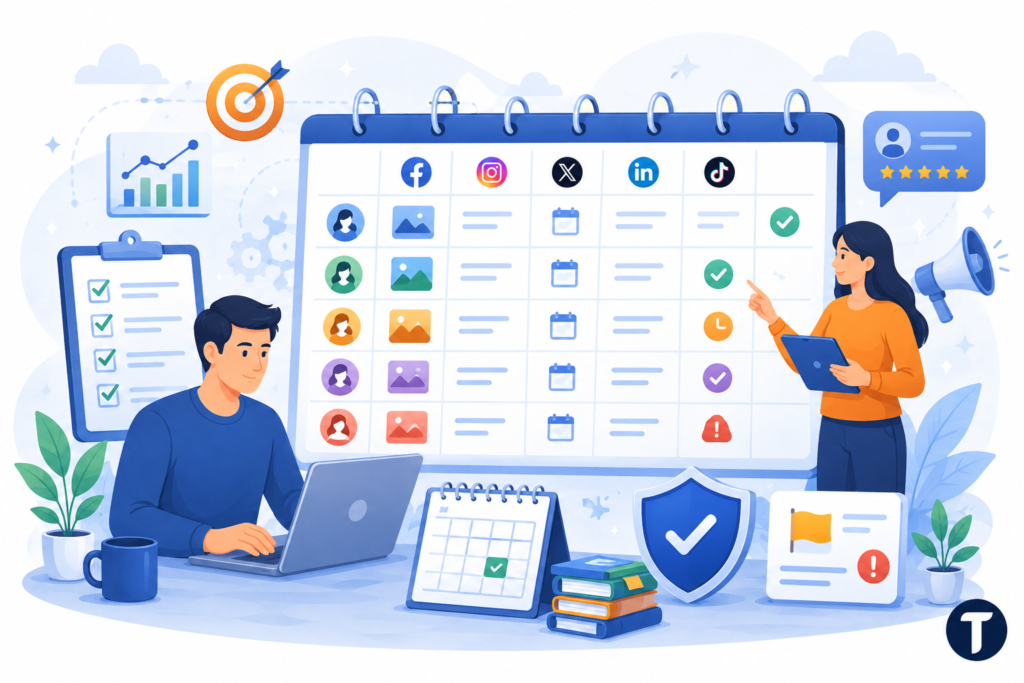
A social media calendar is more than a schedule.
It is a safety net.
When you plan ahead, you reduce rushed posting, skipped reviews, and wrong-account errors.
A calendar keeps content across multiple brands from crashing into itself.
Add these fields to your calendar:
- Account name
- Platform
- Caption
- Asset link
- Publish date
- Owner
- Approval status
- Notes
- Risk flag
This helps you manage social content across multiple platforms without losing the details.
It also supports social media marketing work because each platform needs a different style. A LinkedIn post may need a polished hook. An Instagram caption may need a warmer voice. A TikTok caption may need fewer words.
A calendar makes it easier to manage because each post has a place, an owner, and a status.
Choose Tools for Managing Multiple Social Workflows
The right stack should reduce risk.
It should not create another messy dashboard.
Before you choose social media management software, map your workflow. Know who writes, who designs, who approves, who posts, and who reports.
Good tools can help you manage multiple accounts, but only if your process is clear first.
Look for features such as:
- Approval steps
- Permission levels
- Content previews
- Inbox assignments
- Activity history
- Brand-specific reports
- Failed post alerts
Social media analytics tools can show what works across all your accounts. Social listening tools can surface brand mentions, support issues, and complaints before they grow.
An all-in-one social media management platform may help a social media team work faster, but safety still depends on roles and habits.
Use a social media management tool for coordination.
Use security rules for protection.
You need both.
Keep Brand Voice Clear Across Multiple Accounts
Safety is not only technical.
Brand confusion can damage trust too.
When you manage multiple social media profiles, one brand may sound playful, one may sound serious, and one may need a calm support tone. Without a voice guide, they start to blend together.
A clear voice guide protects the brand as much as a strong password protects the login.
Create a short guide for each social media account.
Include:
- Approved phrases
- Banned phrases
- Emoji rules
- Reply examples
- Escalation steps
- Sensitive topics
- Approval notes
This helps when content is shared across multiple social accounts or adapted across different social media platforms.
It also helps with multiple clients. A holiday sale post for a gym should not sound like one for a law firm.
A strong voice guide keeps each brand human.
Monitor Activity Across Accounts
You need to know what happens across accounts.
Check login history, admin changes, unknown devices, failed login attempts, and strange locations.
Your safest system is the one you inspect.
Most tools provided by social media platforms show some type of activity history. Use it.
Review:
- New admins
- Unknown devices
- Strange login regions
- Unapproved posts
- Removed content
- Failed login alerts
- Permission changes
Do this once a month.
Remove old employees, vendors, interns, and freelancers. Across all your social media channels, access should match current roles.
No exceptions.
This habit helps you manage multiple social media accounts without missing a hidden risk.
Final Checklist to Manage Social Media Accounts With Ease
You can create social media accounts with ease.
Managing them safely takes more care.
The safest way to manage multiple social media accounts is to make every account separate, stable, and intentional.
Use this checklist:
- Give every account a unique password.
- Turn on two-factor authentication.
- Store recovery codes.
- Use role-based access.
- Keep separate browser profiles.
- Build a social media calendar.
- Use a social media management tool.
- Use rotating residential proxies for IP diversity.
- Use sticky sessions during active work.
- Match proxy location to the brand’s market.
- Review activity each month.
- Remove old users fast.
This is how to manage multiple social media accounts safely at scale.
It works for a creator, a small business, an agency, or a team that needs to manage dozens of profiles across multiple networks.
The work becomes calmer when every account has a home, a role, and a clean technical path.