
SaaS Spend Management: Definition, Strategy & Tools
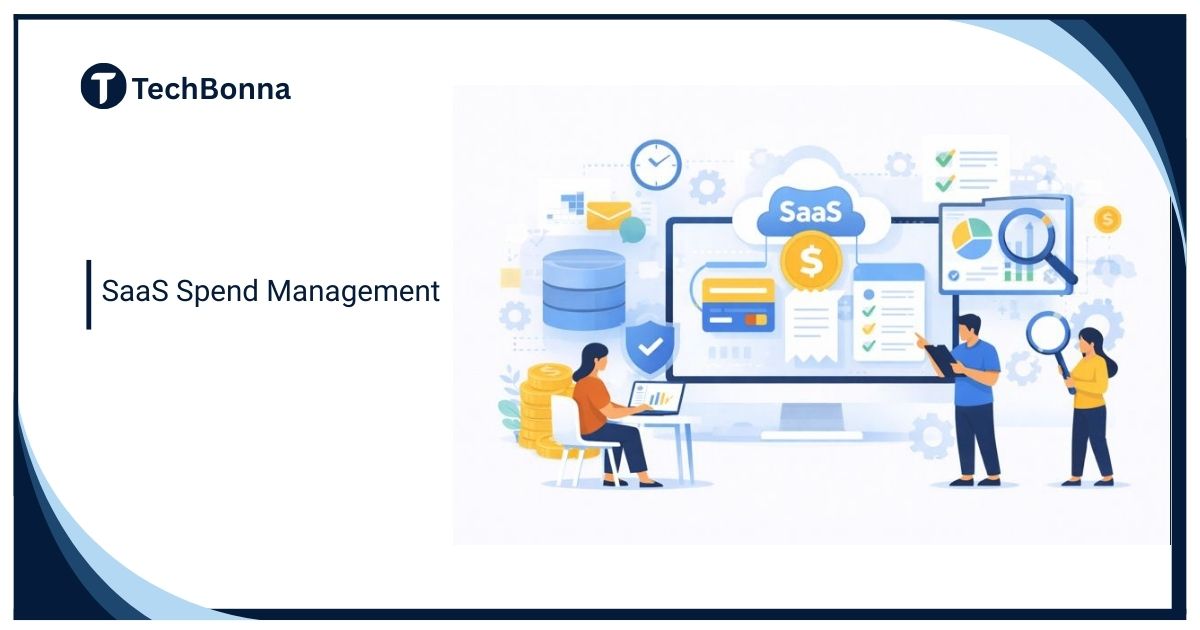
SaaS spend management is no longer just a finance task. Companies now buy software through departments, teams, credit cards, marketplaces, trials, and employee-led workflows. That creates waste, overlap, renewal surprises, and security gaps.
This guide keeps the topic practical. It explains the definition, strategy, tool categories, update cadence, ownership model, and metrics without relying on a vendor list that becomes stale quickly.
Quick Answer
SaaS spend management is the process of discovering, tracking, controlling, and optimizing subscription software costs across a company. It includes app inventory, renewal management, license right-sizing, vendor ownership, approval workflows, security review, and usage analysis.
NIST’s Software Identification tagging guidance shows the value of standardised software identity and lifecycle metadata for inventory work. SaaS tools will not all expose SWID tags, but the same discipline applies: record a stable product identity, owner, version or plan, renewal state and lifecycle status instead of relying on card statements alone.
The goal is not only to cut software costs. Good SaaS spend management helps teams keep useful tools, remove waste, reduce Security and compliance gaps, and make better buying decisions.
What Counts as SaaS Spend?
- Core business software such as CRM, accounting, HR, and project management.
- Department tools for marketing, sales, finance, support, and engineering.
- Communication and collaboration subscriptions.
- AI tools, design tools, data tools, and browser-based productivity apps.
- Unused trials that converted to paid plans.
- Duplicate tools bought by different teams.
- Add-ons, seats, storage, API usage, and premium support.
Modern SaaS applications can also include embedded AI usage charges, automation credits, and add-on modules. That makes simple invoice tracking less reliable.
Build a Clean SaaS Inventory
| Inventory Field | Why It Matters |
|---|---|
| Application name | Basic tracking |
| Owner | Someone must approve renewals |
| Department | Shows where spend sits |
| Vendor and plan | Supports comparison |
| Seat count and active users | Finds waste |
| Renewal date | Prevents surprise lock-ins |
| Data sensitivity | Supports security review |
| Contract value | Prioritizes attention |
| Business purpose | Prevents blind cuts |
Strategy: Control Without Blocking Teams
A heavy approval process can slow useful software adoption. A loose process creates waste. The right strategy gives teams a clear path to request tools, renew tools, justify tools, and retire tools.
Set thresholds. A low-cost single-seat tool may need light approval. A company-wide tool with customer data needs finance, security, and operational review.
License and Usage Review
- Export all users from the SaaS product.
- Compare paid seats with active users.
- Remove former employees and inactive users.
- Downgrade users who do not need premium features.
- Merge duplicate workspaces where possible.
- Check whether annual plans still match usage.
- Review add-ons and storage costs.
- Document the decision before renewal.
Do this before renewal windows, not after contracts auto-renew. A 30-minute review can save months of unnecessary subscription cost.
Tool Categories
| Tool Type | What It Helps With | Limit |
|---|---|---|
| Finance spend tools | Card and invoice visibility | May miss app usage detail |
| SaaS management platforms | Discovery, renewals, seat usage | Needs integrations and ownership |
| Identity provider reports | User access and app discovery | May miss unmanaged cards |
| Procurement tools | Approval and contract workflow | May not show real usage |
| Security tools | Risk and app permissions | May not solve pricing waste |
AI tools make this harder because teams may subscribe quickly for experiments. Track them by use case, data sensitivity, and owner rather than only by monthly cost.
Security and Compliance Review
SaaS spend management should include security review because unused tools can still hold data. Check who has access, what data is stored, whether SSO and MFA are enabled, and whether vendors meet internal requirements.
When cancelling, export needed data, remove users, revoke integrations, and confirm deletion or retention terms. Cutting spend without offboarding can leave risk behind.
Key Metrics
- Total SaaS spend by month.
- Spend by department.
- Renewals due in the next 30, 60, and 90 days.
- Paid seats vs active users.
- Duplicate tools by category.
- Unused or low-usage licenses.
- Applications without owners.
- Applications with sensitive data.
- Savings from cancellations and downgrades.
Review Cadence
Review small subscriptions monthly, major renewals quarterly, and strategic platforms at least twice a year. Tie the cadence to contract dates and budget planning.
The best cadence is predictable. Finance, IT, security, and department owners should not discover renewal decisions the week a contract expires.
Renewal Workflow
- List renewals 90 days ahead.
- Confirm business owner and active users.
- Review usage, seats, security, and alternatives.
- Negotiate or right-size before the deadline.
- Document the decision and next review date.
- Remove users and revoke integrations if cancelling.
Renewal discipline is where SaaS spend management becomes real. A spreadsheet that nobody checks before renewal dates will not reduce waste.
Shadow IT and Discovery
Shadow IT appears when teams buy tools outside normal procurement. Some shadow tools are useful experiments. Others create duplicate costs, unmanaged data, and security blind spots. Discovery can come from expense data, SSO logs, browser extensions, employee surveys, and vendor invoices.
The goal is not to shame teams for solving problems. The goal is to bring useful tools into a managed process and retire risky or redundant ones.
Vendor and Tool Details
Vendor lists change quickly, so the durable strategy is to classify tools by function. Common categories include finance spend platforms, SaaS management platforms, identity-provider reports, procurement systems, contract repositories, and security posture tools. Each category covers a different part of the problem.
If choosing a tool, ask whether it discovers apps automatically, reads usage data, tracks renewals, supports approval workflows, integrates with finance systems, and flags security-sensitive applications.
Governance Without Friction
Make the process easy enough that teams use it. Provide a simple request form, fast approval for low-risk tools, stronger review for sensitive data, and clear ownership at renewal. If the process is slower than buying with a card, teams will bypass it.
Good governance protects speed and control at the same time.
Decision Rule
Start with visibility, then ownership, then renewals, then optimization. Trying to cut spend before you know what exists usually creates conflict and misses the biggest savings.
Practical Example
A 60-person company might discover three project-management tools, two design tools, four AI writing subscriptions, unused sales seats, and an analytics platform nobody owns. Cutting everything would create conflict. A better approach is to group by function, confirm owners, check usage, and decide which tools are strategic.
The first savings often come from inactive seats and forgotten renewals. The bigger strategic benefit comes from clearer ownership and better approval habits.
Department-Level Reviews
Marketing, sales, engineering, finance, HR, and operations buy different software for different reasons. Review spend with department leaders so useful tools are not removed blindly. Ask what each tool does, who uses it, what data it stores, and what would happen if it disappeared.
This creates accountability without turning finance into the enemy of productivity.
AI Subscription Control
AI subscriptions need extra attention because employees may experiment quickly. Track which tools are approved for public data, internal data, customer data, code, documents, and regulated information. A cheap AI subscription can become expensive if it creates data-governance risk.
Give teams a safe approved route for experiments. If there is no route, they will find their own.
Cancellation and Offboarding
Cancellation is more than stopping payment. Export needed data, remove users, revoke OAuth permissions, disconnect integrations, archive contracts, and confirm whether the vendor retains data. If the tool touched customer or employee data, document the offboarding step.
Offboarding protects both spend and security. A cancelled subscription that still has active integrations can remain a risk.
Common Mistakes
- Only reviewing large contracts while ignoring dozens of small subscriptions.
- Cutting tools without checking business impact.
- Letting renewals auto-renew without owner approval.
- Tracking invoices but not active users.
- Ignoring security and data access.
- Allowing AI tools without data-use rules.
A simple monthly review can catch most of these before they become expensive.
As the process matures, connect SaaS spend management to onboarding and offboarding. New employees should receive approved tools quickly, and departing employees should lose access cleanly. That closes one of the biggest gaps between finance visibility and security reality.
The process should also feed budget planning so departments know which renewals are coming before annual planning starts.
Finally, publish a short internal policy. It should explain how to request software, what approvals are needed, what data can be used in SaaS tools, who owns renewals, and how cancellations are handled. Keep it readable so teams follow it.
Make exceptions visible too. Some tools are expensive but essential. Others are cheap but risky. The process should capture context so decisions are based on value, not only price.
Use the first 30 days to build visibility, not to force every decision. Once the inventory is credible, renewal and license decisions become easier.
FAQ
Is SaaS Spend Management Only for Large Companies?
No. Small companies can waste money quickly when every team buys tools independently. A simple inventory can help even before a dedicated platform is needed.
Who Should Own It?
Finance, IT, security, procurement, and department leaders all have roles. One owner should coordinate the process so renewals are not missed.
Should We Cut Every Low-Usage Tool?
No. Some low-usage tools are critical. Review business purpose and risk before cancelling.
Final Thoughts
SaaS spend management works when the company knows what it owns, who uses it, when it renews, and what risk it carries. It is part finance, part operations, and part security.
Start with an inventory and renewal calendar. Then improve license reviews, approval thresholds, and offboarding so software spend stays useful instead of accidental.


One Comment
Comments are closed.