The Modern Employee Intranet: Building Connection, Communication, and Culture at Work
Table of Contents
An employee intranet gives people one trusted place to find company news, resources, and support. In a distributed digital workplace, that shared destination reduces the friction created by scattered emails, files, and chat channels.
Effective internal communication also depends on relevance, clarity, and participation. A modern intranet connects those principles with searchable knowledge, practical employee services, and visible workplace culture.
The short explanation
An employee intranet is a private digital workplace where authorized employees can access company information, communicate, collaborate, and complete common tasks. A modern intranet combines internal communication, knowledge management, employee services, and community features in one secure, searchable environment.
Why Employee Intranets Matter Today
Work no longer happens in one building or through one channel. Employees may move between offices, homes, client sites, mobile devices, and different time zones during the same week. Without a clear information hub, important updates can disappear inside crowded inboxes or fast-moving chat threads.
A well-managed employee intranet creates a dependable front door to the organization. Employees know where to find official announcements, policies, forms, team pages, and links to the systems they use. The intranet does not need to replace every tool. It should help people understand which tool to use and where the authoritative information lives.
Research supports treating digital channels as part of a communication system rather than as isolated tools. A peer-reviewed systematic review of digital internal communication examined how organizations use digital channels and highlighted the importance of considering strategy, employees, technology, and organizational context together.
The value of an employee intranet comes from reducing uncertainty, not from adding another destination for employees to check.
Centralizing Trusted Information
A single source of truth helps employees avoid outdated attachments and conflicting document versions. Policies, procedures, templates, onboarding materials, and leadership updates can live in clearly owned locations with review dates.
Search is equally important. Employees should be able to use familiar words, acronyms, department names, or questions to find the right page. Useful metadata, clear page titles, and concise summaries improve the digital workplace more than a complicated folder tree.
Supporting Hybrid and Remote Work
Remote employees can miss informal office conversations and visual cues. An intranet creates a shared baseline by publishing the same updates, resources, and opportunities to everyone. Personalized homepages can still show location, role, or department information without creating separate experiences that leave people behind.
Managers can use the platform to reinforce internal communication after meetings. A decision announced during a call should also appear in a searchable written update, with an owner, effective date, and next action.
Key Benefits of an Employee Intranet
The strongest benefits appear when the intranet supports daily work. A polished homepage alone will not improve productivity or workplace culture if the underlying content is stale, duplicated, or difficult to navigate.
Clearer Internal Communication
Company announcements become easier to distinguish from routine messages. Editors can target updates by audience, highlight urgent information, and maintain an archive that employees can search later.
Communication also becomes more measurable. Page views, search behavior, unanswered queries, and feedback can show whether employees received and understood an update. These signals should guide improvements, not become a way to monitor individual reading habits.
Faster Access to Knowledge
Employees often need simple answers: which form to complete, how to request access, where to find a template, or who owns a process. A searchable knowledge base turns repeated questions into reusable guidance.
Every important page should have a clear owner, review date, and purpose. Those details protect the employee intranet from becoming a storage area for forgotten material.
Stronger Collaboration and Connection
Team spaces can bring project links, meeting notes, shared documents, and decisions together. Employee profiles and directories make it easier to find subject-matter experts, especially in larger or distributed organizations.
Recognition posts, communities, and leadership updates can also support workplace culture. They work best when participation is genuine and employees can see how their feedback leads to action. Forced social features usually create noise rather than connection.
Simpler Employee Services
A modern digital workplace can give employees direct access to HR requests, IT support, benefits information, learning resources, expenses, and common approvals. The intranet acts as the starting point while specialist systems complete the transaction.
This approach reduces the need to remember multiple web addresses. It also lets teams explain a process before sending employees into a form or external application.
Common Features of Modern Employee Intranets
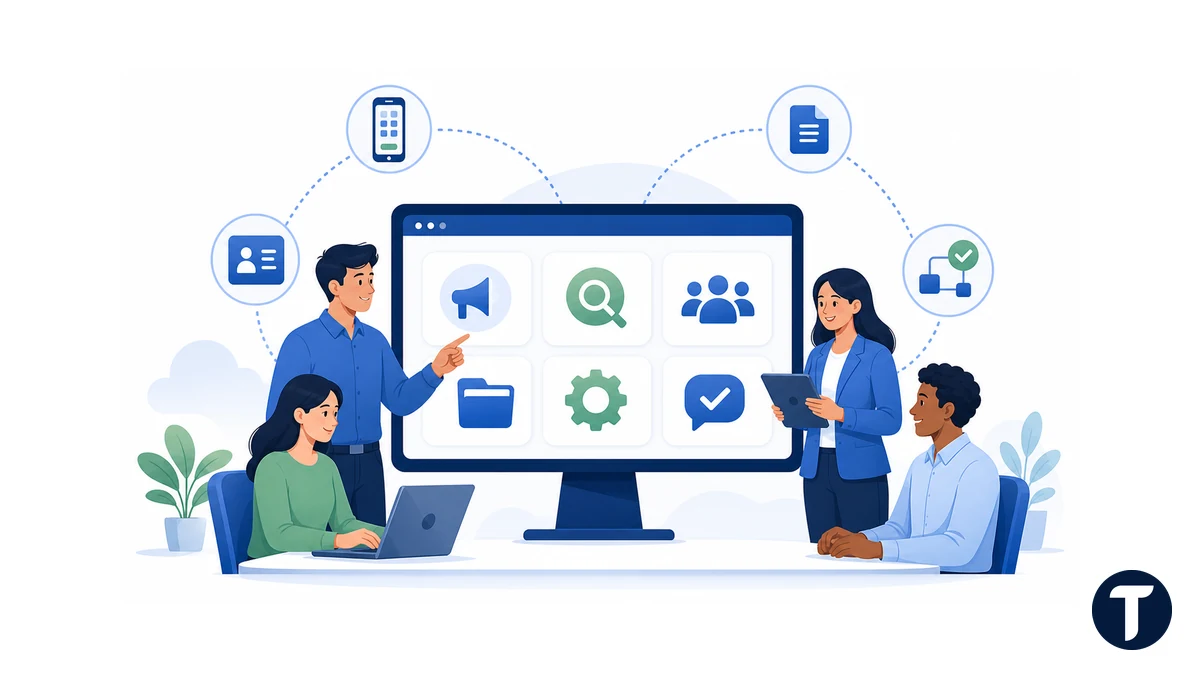
An effective feature set follows employee needs rather than a long vendor checklist. Most organizations benefit from a practical combination of communication, knowledge, services, and community capabilities.
- News and announcements: Official company, leadership, department, and location updates.
- Search and navigation: Fast access to pages, documents, people, tools, and frequently asked questions.
- Knowledge hubs: Policies, procedures, training, onboarding content, templates, and expert guidance.
- Employee directory: Profiles, roles, teams, locations, skills, and contact details.
- Team and community spaces: Collaboration areas, interest groups, discussion spaces, and recognition.
- Self-service links: HR, IT, finance, facilities, benefits, and workflow requests.
- Personalization: Relevant content based on role, department, location, or language.
- Analytics and feedback: Search insights, content performance, quick surveys, and page-level comments.
The best employee intranet features help people complete a task, understand a decision, or find a person. Features that do none of those things should not receive priority.
How an Employee Intranet Shapes Workplace Culture
Culture is expressed through everyday decisions, behavior, and communication. The intranet reflects those patterns. If leaders publish openly, recognize contributions, answer questions, and correct outdated guidance, employees see transparency in practice.
The platform can also make the organization more inclusive. Staff who work different shifts or cannot attend live meetings still receive access to decisions and recordings. Accessible page design, captions, plain language, keyboard navigation, and mobile support help more employees participate.
Those are not a matter of taste. WCAG sets out the international standard for accessible web content, and its conformance levels give an intranet team a concrete target to design and test against rather than a general intention.
However, an employee intranet cannot repair a low-trust culture by itself. Publishing a values page has little effect if employees cannot ask questions or if leaders ignore feedback. Technology can make healthy communication habits easier, but people must still practice them.
Workplace culture becomes visible when the intranet shows what the organization celebrates, explains, and chooses to make accessible.
How to Plan a Useful Digital Workplace
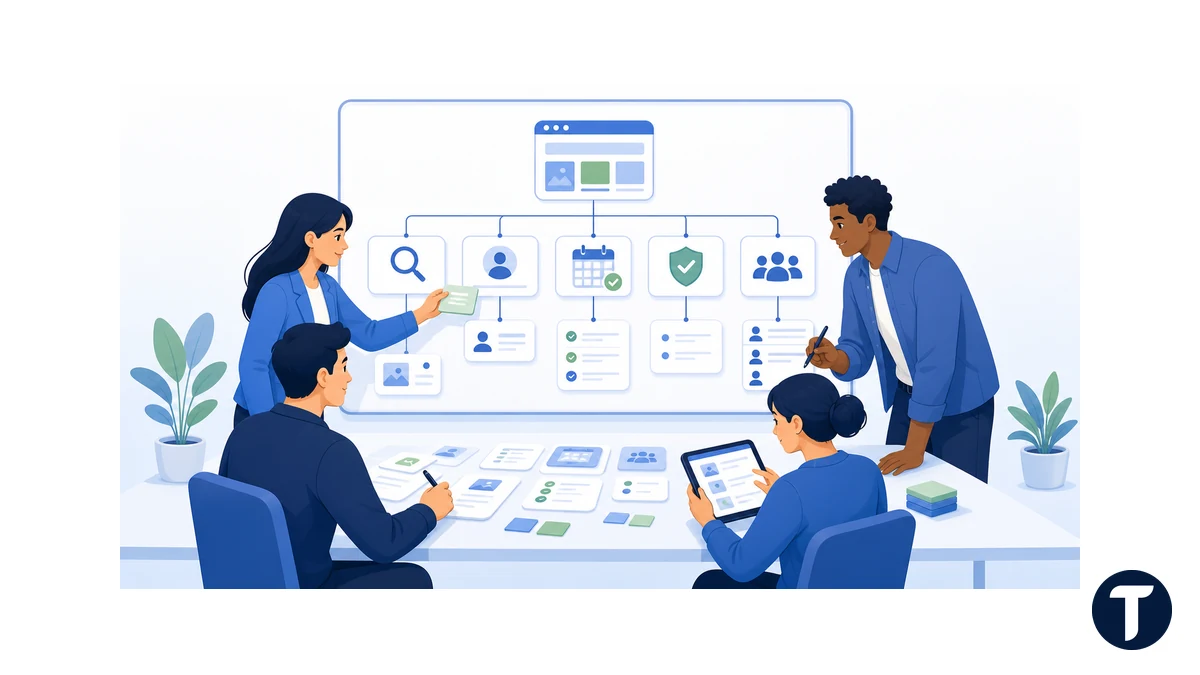
A successful intranet project begins with employee tasks and information problems. Teams should study what people search for, which questions create repeated support requests, and where communication breaks down before choosing layouts or features.
Plan the experience around high-value employee needs before selecting features or page templates.
Define the Purpose and Audience
Write a short purpose statement that explains what the employee intranet will help people do. Identify priority audiences, including frontline workers, remote staff, managers, new hires, and employees who primarily use mobile devices.
Avoid trying to solve every collaboration problem in the first release. A focused launch with trusted news, search, key policies, a directory, and high-volume services is more useful than a broad launch filled with incomplete sections.
Design Information Around Employee Tasks
Navigation should use language employees recognize. Organize content around common tasks and questions instead of mirroring the internal organizational chart too closely. Departments may change, but needs such as requesting leave, reporting an issue, or finding brand assets remain familiar.
When Microsoft 365 is part of the chosen stack, professional SharePoint consulting for modern collaboration can help connect site architecture, permissions, search, governance, and workflow design. The platform choice should follow the communication and knowledge strategy, not replace it.
Assign Ownership and Governance
Each major area needs an accountable owner and an editorial process. Governance should define who can publish, which content requires approval, how often pages are reviewed, and what happens when an owner leaves.
A lightweight content lifecycle can include:
- Create content for a documented employee need.
- Review it for accuracy, accessibility, and audience relevance.
- Publish it with an owner and next review date.
- Measure searches, feedback, and task completion.
- Update, archive, or remove it when it no longer serves a purpose.
Build Security Into the Structure
Not every page should be visible to every employee. Permissions may need to reflect legal entities, regions, roles, projects, or sensitive HR and finance processes. Use group-based access rather than manually assigning individuals wherever possible.
Security should remain understandable. Overly complicated permissions create hidden content, support requests, and accidental sharing. Regular access reviews, clear external-sharing rules, multifactor authentication, and appropriate data retention protect the digital workplace without making common tasks unnecessarily difficult.
How to Increase Employee Adoption
Adoption begins before launch. Interview employees, observe common tasks, test navigation labels, and ask representatives from different roles to complete realistic scenarios. Their feedback can reveal assumptions that a central project team will miss.
At launch, explain what the employee intranet is for, which information is authoritative, and how it fits with email, chat, file storage, and specialist systems. Short role-based demonstrations are more useful than a long tour of every feature.
After launch, improve the platform continuously:
- Review failed searches and create or rename content where needed.
- Retire duplicate pages and outdated documents.
- Ask employees whether key tasks are easier to complete.
- Train content owners in plain language, accessibility, and page structure.
- Use homepage space for relevant priorities rather than permanent clutter.
- Publish visible responses to common feedback.
Employees return when the intranet consistently saves time and provides trustworthy answers. Mandating visits cannot compensate for weak content or confusing navigation.
Challenges Organizations Should Expect
Low adoption is usually a symptom, not the root problem. Employees may avoid the intranet because content is outdated, search results are poor, the mobile experience is difficult, or official updates still arrive through several competing channels.
Ownership can also become fragmented. IT may manage the platform, communications may own news, HR may own policies, and departments may manage local pages. A shared governance group should set common standards while allowing specialists to maintain their own accurate content.
Another risk is overpersonalization. Relevant content helps, but excessive targeting can hide important organization-wide information or make employees unsure whether they are seeing the full picture. Keep universal updates clearly visible and explain why personalized content appears.
A sustainable employee intranet needs ongoing product management, editorial governance, technical support, and employee feedback. It is not a one-time website project.
How to Measure Intranet Success
Page views alone cannot show whether the intranet improves work. Combine usage data with task outcomes and employee feedback.
Success means employees can find trusted information and complete important tasks with less effort.
Useful measures include:
- Time required to find common policies, forms, or contacts.
- Search success rates and the number of searches with no useful result.
- Completion rates for high-volume employee services.
- Reduction in repeated support questions.
- Content freshness and percentage of pages with active owners.
- Reach of important internal communication across roles and locations.
- Employee confidence in finding accurate company information.
Choose a small set of measures linked to the original project goals. Review them regularly, investigate changes, and use the findings to prioritize improvements.
Related questions
These answers cover the practical questions teams often ask before launching or improving an intranet.
What Is the Main Purpose of an Employee Intranet?
The main purpose is to give employees a secure, trusted place for company information, communication, knowledge, people, and services. It should reduce time spent searching and make official guidance easier to recognize.
Is an Intranet the Same as a Digital Workplace?
No. The intranet is usually one central part of the digital workplace. The wider environment may also include email, chat, document storage, video meetings, business applications, and workflow tools.
How Often Should Intranet Content Be Reviewed?
Review frequency should reflect risk and change. Critical policies may need scheduled reviews several times a year, while stable reference pages may need an annual check. Every page should still have an owner and review date.
What Makes Employees Use an Intranet?
Employees use it when it is fast, relevant, trustworthy, accessible, and connected to tasks they perform. Strong search, current content, mobile access, and clear links to employee services are more important than decorative features.
What this means in practice
A useful intranet earns attention by making everyday work easier.
A modern employee intranet should make work clearer rather than busier. When it supports strong internal communication, provides trusted knowledge, and connects useful services, it becomes a practical foundation for the digital workplace. With active governance and employee input, the same platform can strengthen workplace culture while helping people find answers, understand decisions, and stay connected.