How Online Training Software Supports Remote and Hybrid Teams
Table of Contents
Remote work can make training feel scattered. One person learns from a manager on a video call. Another reads an old Slack document. A new starter waits two days for someone to explain the same process again.
That is where training needs structure. A remote team does not need more meetings. It needs one clear place to learn, practice, ask questions, and prove progress.
This guide explains how online training software supports remote and hybrid teams, where it fits beside live coaching, and what to check before you choose a platform.
The short explanation
Online training software supports remote and hybrid teams by providing a single, shared place for onboarding, compliance training, role-based learning paths, progress tracking, reminders, and updates. It keeps training consistent across locations, time zones, and work schedules.
What Training Software Changes for Remote Work
Remote work exposes every weak spot in a training process. If the notes are out of date, people notice. If managers explain things differently, the team feels it.
A learning management system (LMS) provides that process with a fixed home. People know where to find training materials, what course comes next, and how much work they have left.
Good training software turns scattered knowledge into a repeatable training experience. It makes learning less dependent on location, time zone, or whoever happens to be online.
I find the biggest shift is not the software itself. It is the habit it creates. Teams stop treating training as a one-off handover and start treating it as part of the way work gets done.
Remote training software can also support blended work. Some people may learn from home. Others may join training sessions in an office. The platform keeps both groups on the same path.
How a Training Platform Keeps Teams Aligned
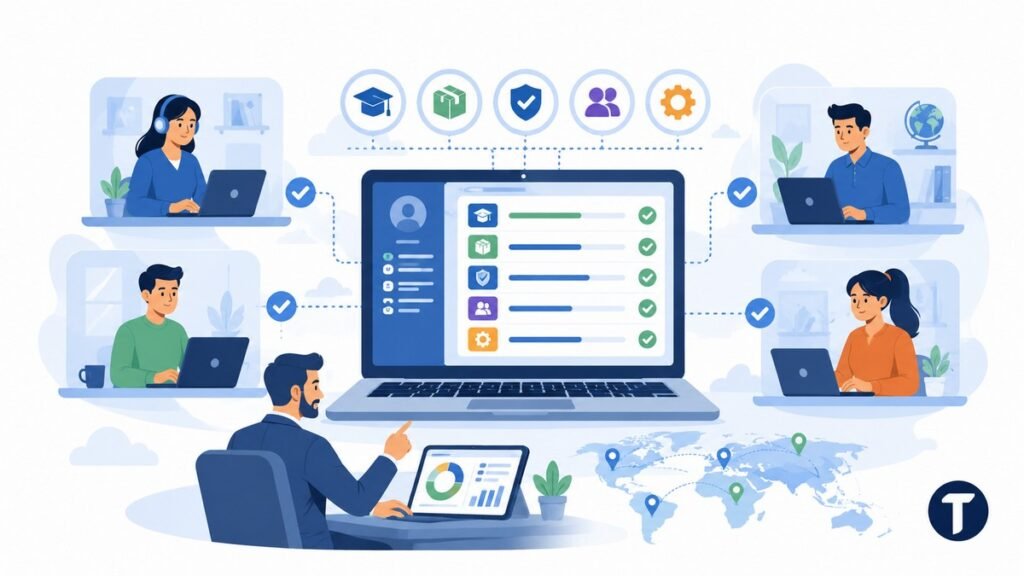
Hybrid teams need a shared baseline. Without it, small gaps become expensive. One team may follow the new support script. Another may use last year’s version. A manager may think a policy has been covered when half the team missed it.
A training platform reduces that drift. It gives each role a set of learning paths and shows managers who have completed each step.
Useful learning paths can cover:
- New starter onboarding for remote employees
- Product and service updates for customer teams
- Compliance training with renewal reminders
- Manager coaching for distributed teams
- Internal training for new tools, policies, and workflows
The goal is not to watch every click. The goal is to give managers proof that the basics are covered.
This matters more when teams work across locations. In an office, people overhear answers. In remote training environments, people need clear content and a clear route through it.
A strong platform also supports different learning styles. Some employees want short videos. Some prefer written steps. Others need quizzes, examples, or instructor-led training before they feel ready.
Better Onboarding for Remote Employees
Onboarding is where training software proves its value fast. Remote employees can feel lost when their first week depends on calendar gaps and message replies.
A structured employee training program fixes that. It tells new hires what to read, what to watch, who to meet, and what they should be able to do by the end of each stage.
If the person is based in another country, training is only one side of the setup. A compliant employer of record can handle local employment, payroll, and onboarding requirements while your team manages the learning path.
A good onboarding path gives people momentum before they have confidence. It removes the awkward feeling of asking where everything is.
The training program can include welcome videos, role checklists, tool walkthroughs, security steps, product lessons, and manager sign-offs. The learning process becomes visible for the new hire and for the person supporting them.
This is also where social learning matters. A platform with comments, discussions, or expert feedback can stop remote learning from feeling lonely. New starters can ask questions in context rather than losing them in a chat thread.
Training Content Stays Easier to Update
Remote teams suffer when training content lives in too many places. A process might be in a PDF, a video, a Notion page, a spreadsheet, or a manager’s head.
Training software gives the business one place to manage learning content. When a policy changes, the owner can update the course rather than chase down old files across the company.
Central content control is one of the quiet wins of a learning management system. It protects the team from stale instructions.
This also helps with product updates. If your team sells, supports, or installs technology, small changes matter. A new feature, pricing change, or workflow can affect how employees speak to customers.
With a training platform, you can update training materials, notify the right learners, and check who has seen the change. That is harder to do with a folder full of documents.
Progress Tracking Gives Managers a Clear View
Managers do not need another dashboard for the sake of it. They need to know who is ready, who is stuck, and where the training process needs work.
Most training tools show course progress, quiz results, overdue modules, and completion reports. That makes remote employee training easier to manage without constant check-ins.
Progress tracking changes training from a hope into a record. It gives L&D teams and managers evidence they can act on.
For example, a low score on a single module may indicate that the lesson is unclear. A high dropout point may show that the course is too long. A pattern of missed deadlines may show that the training needs do not fit the workload.
The data should improve the learning experience, not punish people. The best use is practical. Find blockers, shorten lessons, improve examples, and give extra support where needed.
Remote Training Software Supports Live Coaching Too
Online courses do not remove the need for human training. A remote workforce still needs managers, mentors, subject experts, and team discussions.
The best remote training software supports both self-paced and live learning. Employees can complete online courses before a workshop, then use the session to ask questions, review examples, and practice.
Self-paced learning should carry the basics. Live training should add judgment, context, and feedback.
This mix works well for hybrid teams. Office staff and remote workers can complete the same preparation. A live session on Zoom or Microsoft Teams can then focus on the parts people struggle with.
Instructor-led training also becomes easier to repeat. The platform can hold pre-work, attendance records, follow-up tasks, and feedback forms. That keeps the training experience joined up.
How to Choose the Right Training Solution
The best platform is not always the biggest one. It is the one your team will use, your managers can maintain, and your business can measure.
CIPD’s flexible, hybrid and remote working tools include checklists for managing distributed workers and for measuring the effect of working arrangements. Training reports should follow the same approach: combine completion data with role performance, manager observations and learner feedback rather than treating logins as proof of learning.
Start with the training needs, not the feature list. A small team may need simple onboarding and compliance training. A larger business may need permissions, integrations, reporting, academies, and content approvals.
Once those needs are clear, reviewing published learning service requirements options can help you compare platforms against the way your team actually learns, rather than chasing the longest feature list.
Before you book demos, write down:
- Who needs training and where they work
- What training content already exists
- Which learning paths are needed first
- Who will own the training platform
- What reports managers need
- Which tools must the platform connect with
- Whether you need a free trial before buying
A short, honest list beats a long software review spreadsheet. It keeps the buying process tied to the real job.
Check the learning curve as well. If admins struggle to build training courses, the platform will sit unused. If learners find the system confusing, completion rates will suffer.
Features That Matter for Distributed Teams
Distributed teams need more than a course library. They need a training system that fits into daily work.
Look for features that make training easier to run:
- Role-based learning paths
- Mobile access for flexible learning
- Quizzes and assessments
- Reminders and due dates
- Certificates and compliance records
- Video, document, and interactive content support
- Integrations with HR tools and communication apps
- Reports for managers and L&D teams
- Discussion, comments, or expert feedback for social learning
Remote training solutions work best when they reduce admin instead of creating more.
A learning experience platform may also make sense if you want more personal discovery, content recommendations, and skills-based learning. An LMS may be enough if the main need is structured training, tracking, and compliance.
Some teams need both. The right choice depends on how formal your training initiatives are and how much freedom learners should have.
Common Mistakes to Avoid
Training software can fail when rollout starts with tools rather than habits. A platform cannot fix unclear ownership or weak content on its own.
Avoid these common mistakes:
- Uploading old documents and calling them a course
- Making every lesson too long
- Using one learning style for every person
- Ignoring manager feedback
- Tracking completion but not understanding outcomes
- Forgetting to update training materials
- Buying more features than the team can maintain
The platform is only as useful as the training process behind it. Keep the first version simple. Build the core learning paths, test them with real employees, and improve based on feedback.
A focused first rollout might cover onboarding, one compliance requirement, and one product knowledge path. That gives the team a clear win before the system grows.
Practical Use Cases for Remote and Hybrid Teams
Training software becomes easier to justify when you tie it to clear jobs. Do not launch it as a vague learning portal. Launch it around real work that the team already needs to do.
A remote team might use the platform for security awareness, customer service scripts, product demos, sales training, equipment setup, or manager training. A hybrid team might use it to keep office-based and home-based staff on the same process.
The strongest use cases are repeatable, measurable, and painful when they go wrong. Those are the areas where structured training pays back fastest.
For example, compliance training needs records. Product training needs current examples. Customer support training needs consistent answers. Manager training needs shared standards across locations.
Online training also works well for refreshers. A short annual course can remind people of key policies without asking every manager to run the same session from scratch.
A Simple Rollout Plan That Keeps the Learning Curve Low
Start small. A remote training program fails when the first version tries to cover every role, tool, and policy at once.
Choose one audience and one outcome. For example, you might build a 30-day onboarding path for customer support staff, then add product updates and compliance modules once the first path works.
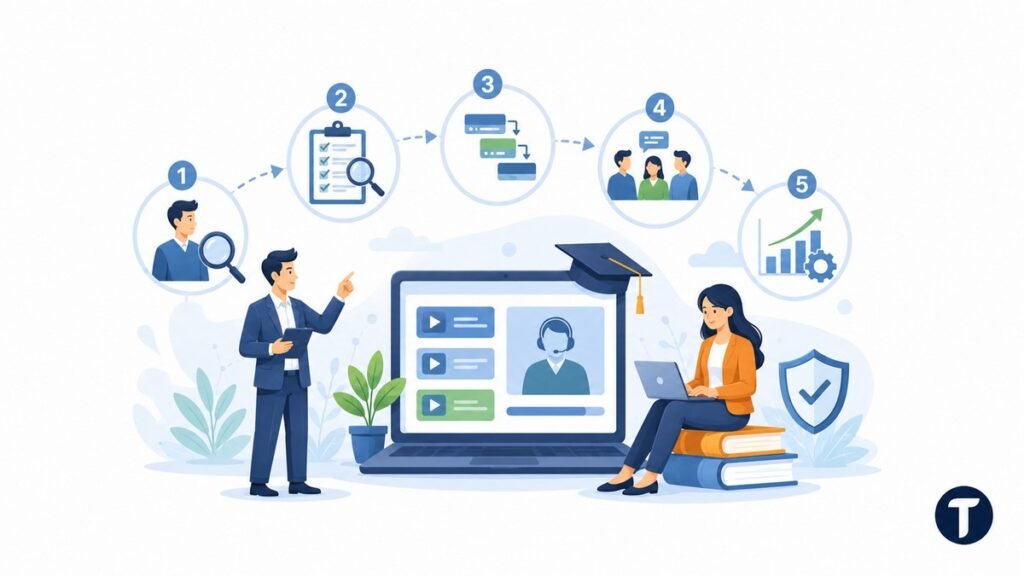
A practical rollout can follow five steps:
- Pick one role or department
- Audit existing training content
- Build the shortest useful learning paths
- Test the courses with a small group
- Improve the training materials before scaling
Short courses beat huge courses for remote learning. People can fit them around work, managers can spot progress faster, and updates are easier to make.
Keep ownership clear as well. Someone needs to own the learning content, someone needs to review reports, and someone needs to collect feedback from learners.
How to Measure Whether the Training Experience Is Working
Completion is useful, but it is not the whole story. A learner can finish a course and still feel unsure when the real task starts.
Measure the training experience with a mix of signals. Look at completion rates, quiz results, time to first task, support questions, manager feedback, and employee confidence.
Good measurement shows whether training changed behavior, not just whether someone clicked complete.
For remote workers, watch for repeated questions in chat, mistakes after onboarding, and delays caused by missing knowledge. Those signals can tell you where the learning content needs work.
L&D teams can also compare cohorts. If one group reaches competence faster after a course update, the training solution is doing something useful.
What this means in practice
Remote and hybrid teams need training that does not depend on being in the same room. They need clear content, steady guidance, visible progress, and space to ask questions.
Training software gives that work a home. It supports remote employees, helps managers track progress, and keeps learning consistent across locations.
The best setup blends structure with human support. Use the platform for repeatable learning. Use managers and experts for judgment, coaching, and real-world examples.
That mix provides remote teams with a fairer training experience and gives the business a stronger way to build skills over time.