Digital Signage vs. Tablet Kiosks: Which Is Better for Your Business?

Table of Contents
Introduction
A bright screen can pull people in. A good self-service point can turn that attention into action. The hard part is knowing which setup your business needs before you spend money in the wrong place.
Quick Answer
Digital signage is better when you need to show messages to a larger audience, such as offers, menus, wayfinding, alerts, or brand content. A tablet kiosk is better when a customer, visitor, or staff member needs to complete a task on the spot. Choose signage for visibility. Choose a kiosk for action. The right option depends on whether your main goal is to display information or collect input.
What Digital Signage Does Best
Digital signage works well when one screen needs to reach many people at once. You see it in retail stores, hotel lobbies, restaurants, clinics, schools, and public buildings.
A display can show:
- Promotions and special offers
- Menu boards and service lists
- Queue updates and visitor notices
- Product videos and brand messages
- Safety alerts or staff updates
The main strength is reach. One display can speak to everyone nearby without asking them to touch anything.
I like this option when the message changes through the day. A café can move from breakfast to lunch. A gym can promote classes. A shop can showcase new products without printing fresh posters.
Digital signage software also makes updates easier across more than one location. Admins can upload fresh content, schedule campaigns, and monitor screens from one dashboard. That matters when a business has several branches.
The trade-off is interactivity. A digital sign can inform people, but it cannot guide each user through a personal task unless you add touchscreen hardware and a controlled app flow.
What Tablet Kiosks Do Best
A tablet kiosk works best when the screen needs a job. Instead of showing the same message to everyone, it gives one user a clear path to complete a task.
Common uses include:
- Visitor check-in
- Product browsing
- Appointment booking
- Feedback forms
- Loyalty sign-ups
- Self-service ordering
- Event registration
The main strength is control. The device can run one app in kiosk mode, limit access, and keep the customer experience focused.
The US Access Board technical assistance documents make accessibility part of the design review for facilities, elements and services. For an interactive kiosk, screen position, reachable controls, input method and the applicable accessibility standard should be checked before hardware is ordered.
This is where the stand matters. A loose device on a counter can look temporary. A fixed unit feels planned and protects the hardware in a busy environment. For example, a retailer or reception desk could use a versatile iPad floor stand from VidaBox when they need a stable point for browsing, sign-in, or guided self-service.
This route is also flexible. An iOS or android device can be moved, replaced, locked down, and used with different apps. That makes it useful for smaller businesses, pop-ups, exhibitions, and teams testing a new self-service idea.
The trade-off is scale. One person can interact with it at a time, so high-traffic areas may need several units.
Pricing, Hardware, and Setup Differences
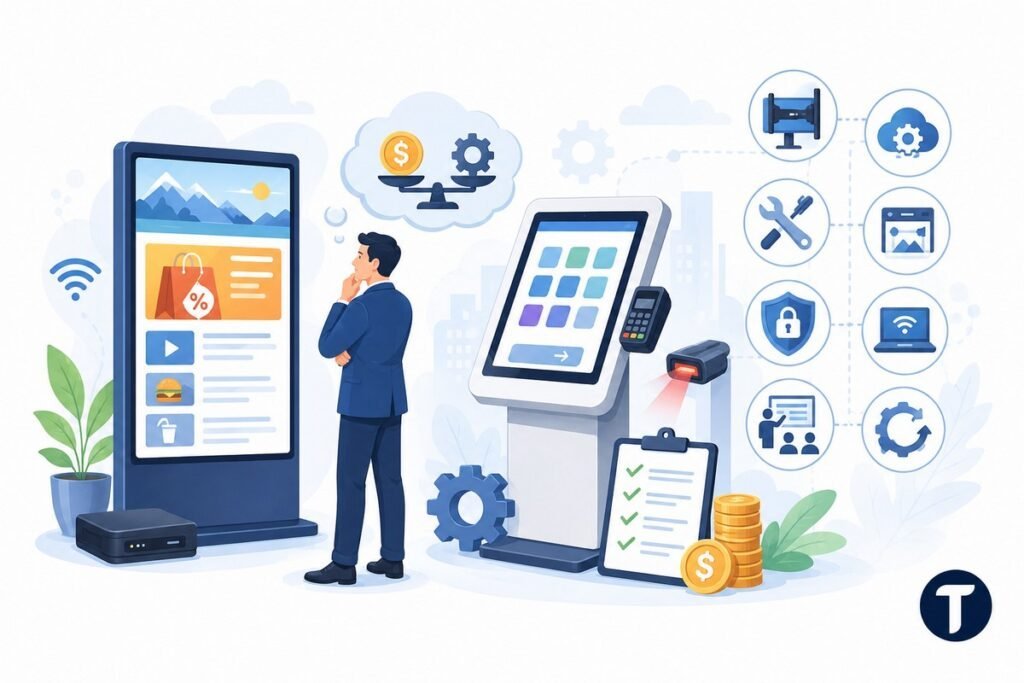
Digital signage can look cheaper at first because a business may already own a screen. You still need a media player, software, mounting, content design, and a stable internet connection.
A tablet kiosk can also start small. A business may only need the device, a secure mount, kiosk mode, and a single app. Pricing rises when you add card readers, scanner support, custom software, or device management.
Do not compare only the device cost. Compare the full setup. The cheapest screen can become expensive if it needs custom installation, constant staff updates, or early replacement after rough use.
Think about these practical costs:
- Hardware and mounting
- Software subscriptions
- Installation and cabling
- Content creation
- Security and access control
- Remote management
- Staff training
- Repairs and replacements
Signage usually needs stronger content planning. A kiosk usually needs stronger user interaction design. Both can fail if the screen is confusing, slow, or placed where people do not notice it.
Security and Customer Experience
A public screen needs protection. That applies to both options, but the risks are different.
Digital signage should prevent unauthorised content changes. A business should lock down the media player, monitor the display, and keep admin access limited to trusted users.
A tablet kiosk needs stronger device control because customers can touch it. Kiosk mode should lock the device to a single app or browser flow. The unit should also be physically secure, especially in retail, hotel, healthcare, and event environments.
The smoother option is the one people understand in seconds. A large display should make the message clear from a distance. An interactive kiosk should make the next tap feel clear.
Poor placement can hurt both. A sign hidden behind a pillar will not work. A touchscreen unit placed in a cramped corner may get ignored.
Which One Should Your Business Choose?
Pick digital signage if your goal is awareness, promotion, wayfinding, or real time announcements. It suits messages meant for groups of people.
Pick a tablet kiosk if your goal is check-in, ordering, browsing, registration, payment support, or data capture. It suits tasks meant for one person at a time.
Some businesses need both. A store might use digital signage displays to promote a product range, then place an interactive kiosk nearby so shoppers can browse product data. A hotel might use a lobby display for announcements and a self-service unit for check-in.
This also connects to a larger business goal: using the right tools to reduce friction, save staff time, and make customer journeys easier. If you are comparing screens as part of a broader operations upgrade, it helps to understand how technology helps businesses improve operational efficiency before choosing the final setup.
The best choice comes from the customer journey, not the screen size. Ask what you want the person to do next.
Use this simple rule:
- If people only need to see it, use digital signage.
- If people need to do something, use a tablet kiosk.
- If people need both, combine them with a clear role for each screen.
Final Verdict
Digital signage is better for broad communication. Tablet kiosks are better for focused interaction.
A digital signage solution can lift visibility, keep content fresh, and reach more people at once. A tablet kiosk can guide a user through a task, keep access controlled, and make self-service feel simple.
Your business does not need the most impressive screen. It needs the screen that removes friction. Start with the outcome, then choose the tool that makes that outcome easier for customers and staff.
If attention is the goal, go bigger with digital signage. If action is the goal, go more focused with a tablet kiosk.