How Multi-Location Businesses Should Manage Google Reviews at Scale
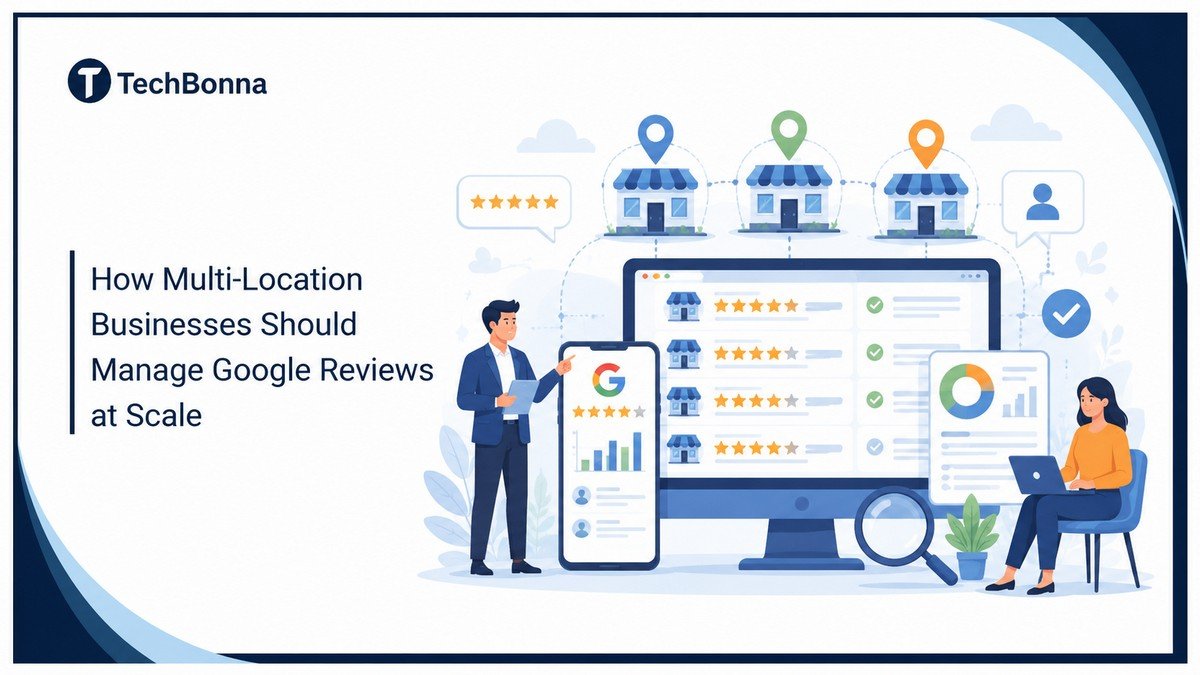
Table of Contents
Multi-location businesses need a clear system to manage Google reviews at scale. For a multi-location business, that system keeps feedback, ownership, and reporting from splitting across disconnected profiles. Without one, missed feedback, slow replies, and weak location data can hurt trust and local search visibility.
The verdict up front
A multi-location business should manage Google reviews at scale by using a single central system to monitor, assign, respond to, and report on reviews across all locations.
Best process:
- Centralize all Google Business Profile reviews in one dashboard.
- Give local, regional, and corporate teams clear roles.
- Use response templates that staff can personalize.
- Ask for reviews ethically through approved links, QR codes, SMS, or email.
- Track ratings, review volume, response time, and complaint themes by location.
- Escalate low-rated, fake, or sensitive reviews quickly.
This setup gives corporate teams visibility, helps a multi-location business stay consistent, and gives customers faster responses.
Why Google Reviews Become Harder Across Multiple Locations
Manual Review Management Breaks at Scale
A single local business can usually manage Google reviews manually. The owner checks Google Maps, responds to new reviews, and quickly notices patterns.
That breaks down when the brand has many business profiles. For a multi-location business, it becomes harder to manage Google reviews at scale with a manual process. Each location has its own review volume, local search market, staff behavior, and customer expectations. A restaurant in one city may have a queue-time issue, while a branch in another market may be getting complaints about parking, booking, or service quality.
At scale, Google reviews are not just reputation signals. They become operational data.
Review Data Gets Split Across Profiles
The challenge is that review data often sits in separate places. One manager sees one review profile. A regional lead sees another. Corporate marketing may only notice the problem when a potential customer, journalist, or franchise partner points it out.
A multi-location business needs a repeatable operating model for review work. Without one, the brand usually runs into the same problems:
- Reviews are missed because nobody owns the queue.
- Replies sound different from one branch to another.
- Negative themes are not escalated.
- Review requests happen at some locations but not others.
- Local search reporting focuses on averages and hides weak locations.
A company-wide 4.4 rating may look healthy, but it can hide five locations sitting below 3.5 stars. Those weak locations can hurt conversions and make local SEO harder in their own markets.
Build One Google Review Management System First
Centralize the Review Workflow
The first step for a multi-location business is to centralize the workflow. Multi-location brands need a way to monitor Google reviews in one place, not by logging in and out of separate profiles.
A central dashboard should show every new review, the location it belongs to, the rating, the date, the reply status, and the person responsible for the next action. This gives teams one place to manage Google reviews at scale before small issues spread.
The goal is simple: no fresh review should depend on one busy location manager remembering to check Google.
Choose Tools That Match Review Volume
For smaller groups, Google Business Profile location groups and a shared process may be enough. For larger brands, dedicated Google review management software or broader reputation management tools usually become necessary.
A multi-location business should choose tools that keep review visibility, response ownership, and reporting in the same system. These tools help teams monitor and route reviews, assign responses, and report across every branch.
Agency white-label review management software can also help agencies that manage reviews for several client brands keep workflows organized under their own branding.
Good management software should support:
- Multi-location permissions
- Shared response templates
- Alerts for one-star and two-star reviews
- Review requests through approved channels
- Tags for themes such as staff, pricing, wait time, delivery, cleanliness, or product quality
- Reporting by location, region, and manager
- Exports for customer experience and operations teams
Use Automation Where It Supports the Process
This is also where custom automation can make sense. Off-the-shelf tools work well for many brands, but they can become limiting when the business needs custom sentiment categories, CRM integrations, ticket routing, or internal escalation rules.
A brand with high review volume might work with an AI software development partner to build review analysis pipelines that understand its own category language, regional terms, and risk signals. That does not replace human judgment. It helps teams sort thousands of comments into useful work queues before problems spread.
Give Each Team the Right Access and Ownership
Keep Local Context While Maintaining Control
Central control does not mean corporate should write every response. Local managers often have the context needed to answer accurately, especially when a customer mentions a specific visit, staff member, queue, delivery, or appointment.
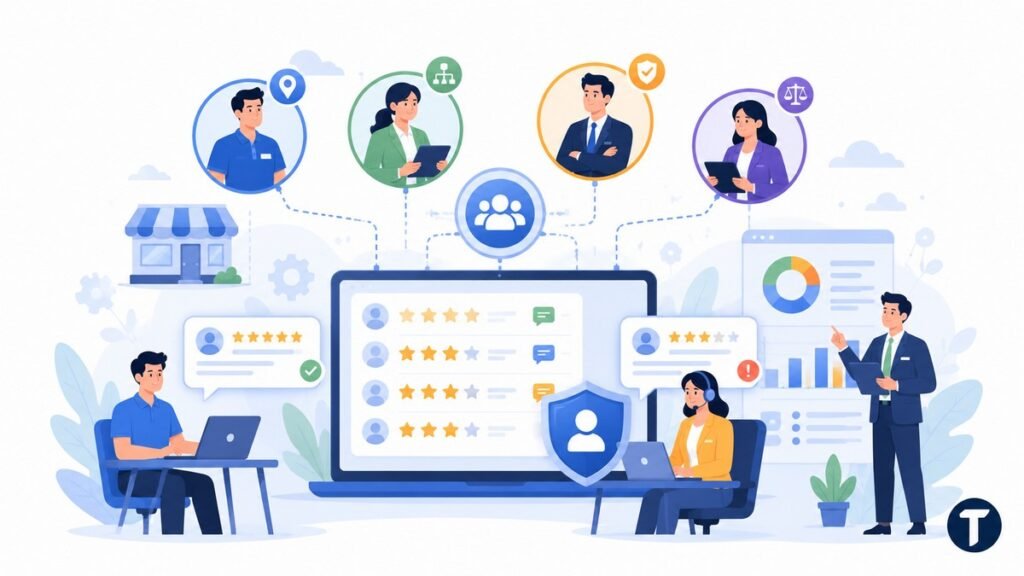
A better model uses role-based access.
Build Role-Based Access
Location managers can respond to reviews for their own location. Regional managers can see patterns across a cluster. Corporate teams can set brand standards, audit response quality, and handle sensitive issues.
The right ownership model keeps replies fast without letting every location invent its own public brand voice.
For a multi-location business, role-based access keeps review ownership clear without slowing responses. It also helps teams manage Google reviews at scale without giving every user the same level of control.
Protect Permissions and Brand Control
A practical access model might look like this:
- Location manager: Can reply to normal positive reviews and simple complaints for one branch.
- Regional manager: Can review replies, handle repeat complaints, and compare locations.
- Customer experience team: Can manage serious complaints and recurring themes.
- Corporate marketing: Can maintain templates, tone rules, and public response standards.
- Legal or compliance: Can advise on reviews that mention safety, discrimination, threats, or legal action.
This structure also protects the brand. Not every manager should be able to delete reviews, edit profile settings, or change review response rules. Google review management works best when speed and control are balanced.
Standardize Review Responses Without Sounding Robotic
Use Templates as Starting Points
Templates are useful, but only when they are treated as starting points. A copy-and-paste reply that ignores the customer feedback can make the business look careless. Consistent templates help a multi-location business manage Google reviews at scale while keeping replies human.
Google advises businesses to keep replies professional, relevant, and simple. It also reminds businesses that replies are public and may be read by future customers, not only by the reviewer.
Build a Response Library
A good review response sounds consistent in tone but specific to the customer.
Build a response library for common review types:
- Five-star praise with written detail
- Five-star review with no text
- Four-star review with one improvement note
- One-star or two-star service complaint
- Pricing complaint
- Wait-time complaint
- Delivery or fulfillment complaint
- Staff behavior complaint
- Fake review or wrong-location claim
Then train managers to add one real detail before posting. For example, instead of saying, “Thanks for your positive review,” a manager might write, “Thanks for mentioning how helpful the front desk team was during your visit.”
That small detail tells potential customer readers that the business is listening.
Respond to Negative Reviews With Care
For negative review replies, use a simple structure:
- Acknowledge the issue.
- Apologize where appropriate.
- Avoid arguing about the facts in public.
- Explain the next step briefly.
- Move private details offline.
A short review response is usually better than a defensive paragraph. The public reply should show care, not win a debate.
Ask for Reviews Ethically and Consistently
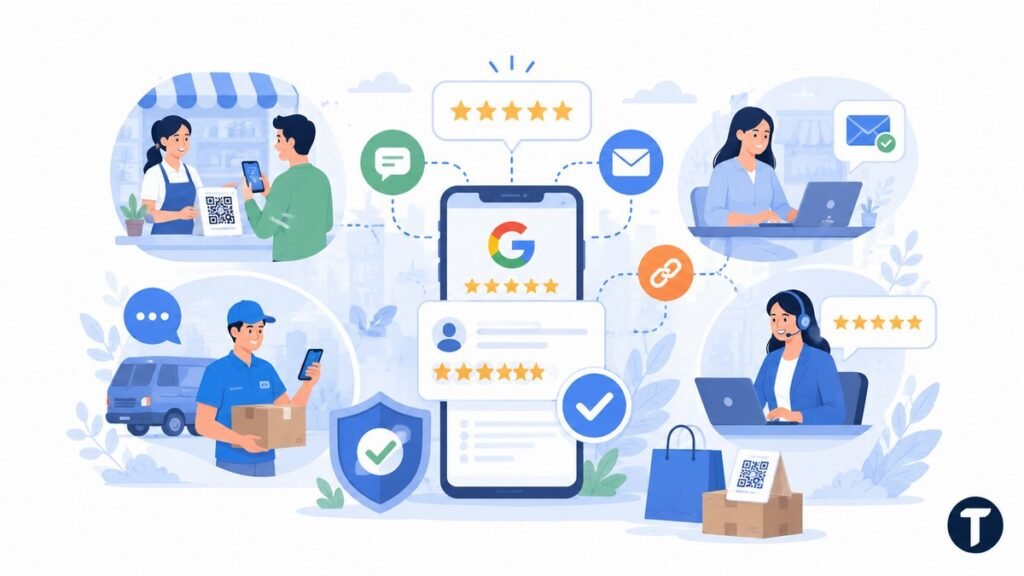
Make Review Collection Consistent
A multi-location business cannot manage Google reviews well if some locations rarely receive any. Review collection has to be part of the process, not something managers remember during quiet weeks. Consistent collection is part of how teams manage Google reviews at scale without only hearing from a few branches.
Stay Policy-Safe
Google allows businesses to ask customers to leave a review by sharing a review link or QR code. It also warns against offering incentives, discounts, or free goods in exchange for reviews, changed reviews, or removed negative reviews.
Ask every eligible customer in a fair, simple, and policy-safe way. Do not only ask happy customers.
Choose the Right Request Channels
For most multi-location businesses, the best review requests come from the moment when the customer has just completed a real experience. That might be after a visit, appointment, delivery, installation, support case, or completed purchase.
Useful request channels include:
- SMS after a completed visit or delivery
- Email follow-up after an appointment
- QR codes on receipts, table cards, packaging, or checkout screens
- Review request links in customer service follow-ups
- Post-service prompts from field staff or account teams
SMS can work especially well because people see text messages quickly. Infobip reports that SMS marketing has an open rate of around 98%, compared with roughly 20% for email. That does not mean every review request should be a text. It means SMS is worth testing where customers have given consent and the message is useful.
Get the Timing Right
Timing matters too. Ask too early and the customer has not formed a full opinion. Ask too late and the moment has passed.
For service businesses, 30 minutes to four hours after the visit is often a sensible window. For e-commerce or delivery, waiting until the customer has received the product and had time to check it is safer. If delivery quality is inconsistent, sending review requests too quickly can increase the volume of low-rated reviews.
Track Local Search, Rating, and Review Data by Location
Do Not Rely Only on Brand-Level Averages
A multi-location business often reports review performance at brand level. A brand-level view is useful for a board slide, but not enough to manage each location properly.
Averages can hide weak locations. A region can look stable while one location is losing trust. A store can collect many online reviews but still fail to respond to reviews quickly.
Track Location-Level Metrics
Track the metrics that show both reputation and process health.
This is where a multi-location business can connect review management to local SEO, staffing, and service quality.
The core location-level metrics should include:
- Average Google review rating
- Total review count
- New review volume by month
- Positive reviews by location
- Low-rating review count by location
- Response rate
- Average response time
- Unanswered review count
- Review request volume
- Review request conversion rate
- Top complaint themes
- Local search ranking movement for priority terms
Turn Reporting Into Action
BrightLocal notes that customer reviews are a ranking factor within the Local Pack. Google also says reviews help businesses stand out in Maps and Search. That makes review management a local SEO issue, not just a customer service issue.
The reporting should lead to action. If one branch has a low rating and repeated complaints about wait time, the answer is not only more review requests. The answer is to fix the operational issue, respond to customers, and then rebuild review volume over time.
Create Escalation Rules for Negative and Fake Reviews
Define Severity Before Complaints Appear
Handling negative reviews at scale requires clear rules. If every manager decides what counts as serious, important complaints will be missed. A multi-location business that wants to manage Google reviews at scale should define severity levels before complaints appear.
Set up alert rules for reviews below three stars and for language that signals risk. That includes safety issues, threats, legal language, discrimination claims, data privacy concerns, repeated service failures, or media-sensitive complaints.
The faster the right person sees a serious review, the less likely it is to become a larger brand problem.
Set a Clear Escalation Path
A simple escalation path might be:
- One-star or two-star review triggers an alert.
- Location manager checks the customer record and drafts a response.
- Regional manager reviews complaints tied to safety, staff conduct, or repeat issues.
- Customer experience team contacts the customer privately where possible.
- Legal or compliance reviews sensitive cases before public replies are posted.
Handle Fake Reviews With Evidence
Fake review handling also needs a process. A business cannot simply remove reviews it dislikes, and it cannot delete reviews written by customers. It can flag a fake review or policy-violating review through Google if there is a valid reason.
Train teams to collect evidence before flagging. Useful notes include whether the reviewer appears in customer records, whether the review mentions the wrong location, whether the content is spam, and whether the language violates Google policy.
Do not ask staff to mass-report criticism just because it is uncomfortable. That creates more risk than it solves.
Turn Reviews Into Operational Improvement

Treat Reviews as Live Feedback
The most mature brands do not treat Google review management as a public-relations chore. They use review data to improve the business. For a multi-location business, review themes can show what needs training, process changes, or local follow-up.
A customer may mention the same product issue in ten different cities. A delivery problem may appear in three regions before it shows up in internal reports. A branch with great reviews may reveal training language that other locations can copy.
Reviews are a live feedback system if the business knows how to read them.
Create Monthly Review Themes
Create monthly review themes for leadership:
- What are customers praising most often?
- Which complaints are increasing?
- Which locations are improving fastest?
- Which managers are responding well?
- Which complaints need an operational fix?
- Which review request channels are working?
- Which locations have low volume but strong customer satisfaction?
This turns Google reviews at scale into a business intelligence process. Marketing sees reputation. Operations sees friction. Local teams see what to fix next.
For a broader look at how digital systems turn scattered data into measurable gains, see this guide on how technology improves business efficiency.
Use AI Without Replacing Human Ownership
AI can help here, too. It can group review comments by theme, detect sentiment changes, and highlight unusual spikes. But teams still need human ownership. A dashboard can identify the pattern. A manager has to fix the root cause.
Common Mistakes to Avoid
Avoid Loose or Over-Automated Processes
Multi-location reputation work fails when the process becomes either too loose or too automated. A multi-location business can lose consistency when every branch uses its own review habits.
The best systems use automation for visibility and humans for judgment.
Keep Human Judgment in the System
Avoid these mistakes:
- Letting each location handle reviews with no shared standard
- Using templates with no personalization
- Asking only happy customers to leave reviews
- Offering incentives for customer reviews on Google
- Ignoring three-star reviews because they are not “negative enough”
- Treating fake Google reviews the same as genuine complaints
- Reporting only brand-level averages
- Giving every manager full admin access
- Responding defensively to criticism
- Collecting review data without sharing it with operations
Another mistake is assuming software solves the whole problem. Tools can centralize, route, and report. They cannot decide your brand voice, fix poor service, or rebuild trust after repeated failures. A system that helps teams manage Google reviews at scale still needs human judgment and clear standards.
A Simple 30-Day Rollout Plan
Start With the Core System
If your multi-location business is starting from a messy review process, do not try to fix everything at once. Build the core system first.
A clean 30-day rollout is better than a perfect plan that nobody uses.
Days 1 to 14: Audit and Set the Process
Days 1 to 7: Audit the current state.
- List every Google Business Profile.
- Check who has access.
- Record rating, review count, unanswered reviews, and recent complaint themes.
- Identify locations with the biggest risk.
Days 8 to 14: Set the process.
- Choose the central dashboard or management software.
- Create role-based access.
- Write response standards.
- Build the first response template library.
- Define escalation rules.
Days 15 to 30: Launch, Report, and Improve
Days 15 to 21: Launch review collection.
- Create Google review links or QR codes.
- Choose SMS, email, or in-location request points.
- Train staff on policy-safe language.
- Set location-specific review volume goals.
Days 22 to 30: Report and improve.
- Review response time and unanswered review count.
- Compare review volume by location.
- Identify repeat complaint themes.
- Share wins and weak spots with regional leaders.
- Adjust templates and escalation rules.
After the first month, keep the cadence simple. Weekly checks for open reviews. Monthly reporting by location. Quarterly review of templates, permissions, and software fit. This gives a multi-location business a practical way to manage Google reviews at scale without overwhelming local teams.
Our overall read
A multi-location business should manage Google reviews at scale like a live operating system, not a side task for local managers.
The brands that do this well centralize visibility, keep local ownership, respond to reviews with care, ask for reviews ethically, and use review data to improve customer experience.
Google’s Maps user-generated content policy says reviews should reflect genuine, unbiased experiences and prohibits fake engagement and rating manipulation. Review requests can be systematic, but they should not pressure customers towards a particular rating or selectively manufacture a misleading score.
Start with one dashboard, one response standard, one review request process, and one escalation path. Then use the data to find the locations, teams, and customer moments that need attention.
That is how the review program becomes more than reputation protection. When a multi-location business can manage Google reviews at scale with a repeatable process, it can build trust, improve local search visibility, and catch problems before they spread across the brand.