Can an All-in-One AI Platform Replace Multiple Individual Software Subscriptions?
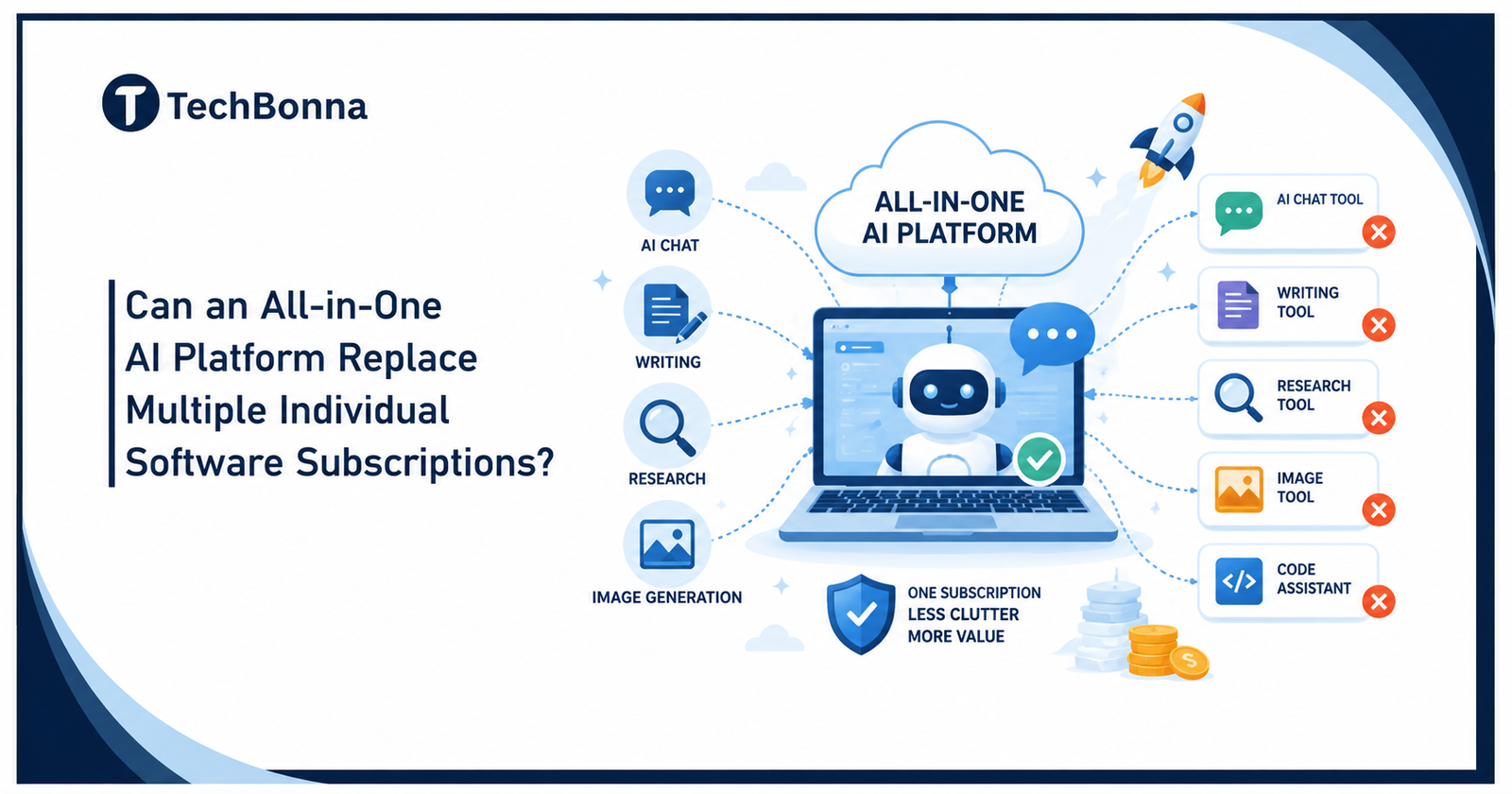
Table of Contents
Introduction
The first time I paid for three separate AI apps in one month, I felt the sting fast. One app wrote better drafts. One handled research better. One made stronger images. My wallet did not care about my “smart stack.”
Quick Answer
Yes, an all-in-one AI setup can replace several software plans for many people, but not for everyone. The right consolidated chat assistant option can give you a cleaner way to work, cut clutter, and reduce waste. The real question is not whether one app can do every job. The real question is whether it can do your key jobs well enough.
Complete Guide to Multi-Model AI and the Rise of the All-in-One AI Platform
All-in-one AI did not appear overnight. Early AI apps felt like small islands. One app wrote text. Another made images. Another summed up the files. Another searched the web.
Teams comparing consolidated AI workspaces still need a neutral way to sort product claims before they buy. TechBonna’s AI SaaS product classification criteria guide explains how to classify AI tools by use case, data risk, automation depth, model role, integration needs, and buyer value before replacing multiple subscriptions.
The NCSC guidelines for secure AI system development apply both to systems built from scratch and to those assembled on third-party tools or services. Consolidating subscriptions therefore does not remove the need to review data access, supplier dependencies, deployment controls and ongoing maintenance.
Then users got tired.
People wanted access to multiple AI models without having to switch tabs. That gave rise to multi-model AI platforms, where a single dashboard could connect to multiple AI models. This changed the whole AI workflow.
All-in-one AI platforms combine chat, writing, research, image tools, file work, and other AI capabilities in one place.
I see this as the next step in the normal growth of software. First, the tools are split apart. Then users ask for less mess. The market answers with one platform.
A strong all-in-one platform can provide access to multiple AI models from multiple providers. You might use an AI model for writing, another AI model for coding, and another AI model for deep research.
That is why many users now ask if one AI subscription can replace a drawer full of apps.
Why One AI Subscription Feels So Appealing
A single subscription feels calm. You sign in once. You pay once. You learn one interface. You stop bouncing between five logins before lunch.
The biggest win is not just money. It is mental space.
When you have multiple AI tools, each one demands attention. You compare menus, limits, tokens, billing dates, and saved chats. That small friction piles up.
An all-in-one AI subscription can bring tools under a single subscription. It may include chat, writing, search, image work, document review, and coding aid. For many users, that covers daily work.
Here is where one subscription can shine:
- You want a faster setup.
- You need access to multiple AI models.
- You want tools in one place.
- You dislike managing multiple subscriptions.
- You use AI for content creation, emails, notes, and planning.
I like the convenience most. I can switch between different AI models inside one space and stay in flow. Some services even let you move across different AI models mid-conversation without losing context.
That feels less like software and more like a desk with every pen within reach.
The Cost of Multiple AI Subscriptions and the Hidden Cost
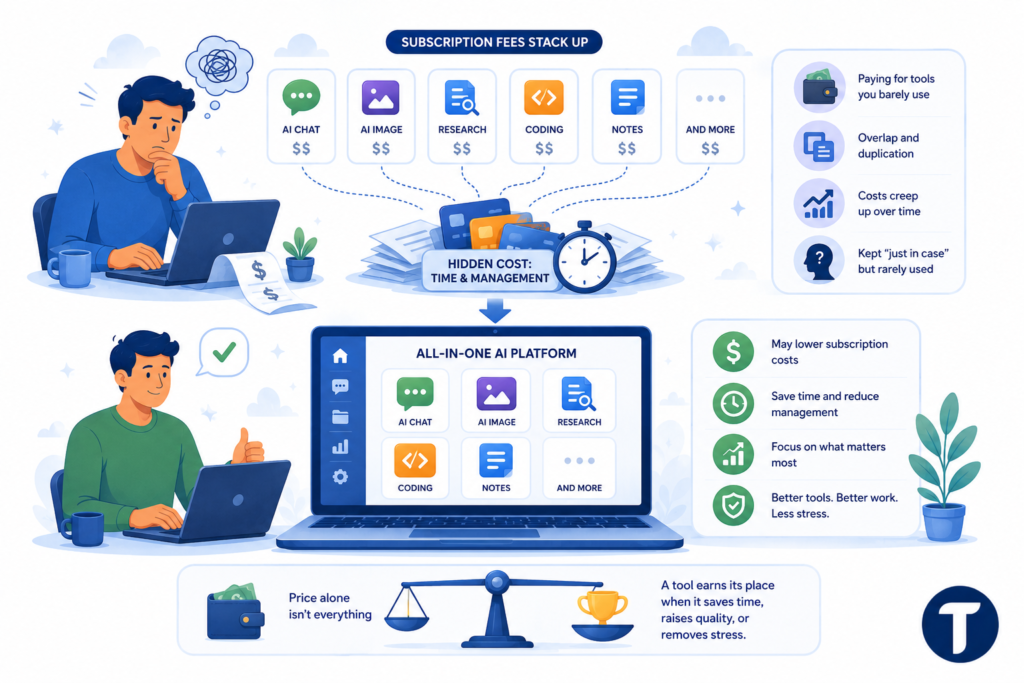
Cost is where the case gets sharp. Individual subscriptions can look small at first. Then the subscription fees stack up.
One AI tool here. One AI service there. A separate AI image app. A research app. A coding app. A note app.
The hidden cost is the time you spend managing the stack.
I have seen people pay for individual AI subscriptions they barely use. They keep them “just in case.” That is how AI subscription costs creep upward.
Multiple AI subscriptions can also create overlap. One app can summarize files. Another can summarize files. A third can summarize files with a new name and a shiny button.
An all-in-one AI platform may lower subscription costs by replacing two or three paid apps. It may not replace every AI tool, but it can cut waste.
Still, price alone should not drive the choice. Cheap software can cost more when it slows you down. A tool earns its place when it saves time, raises quality, or removes stress.
Where an All-in-One AI Subscription Wins
The best all-in-one AI platforms win with ease. They make common work feel smooth.
You get the most value when your work needs range across different AI models rather than one narrow task.
Writers can draft, edit, outline, and test tone. Small teams can research, summarize, and build customer replies. Students can plan, quiz, and review notes. Founders can brainstorm, compare ideas, and polish pitch copy.
An all-in-one platform also works well for people who want AI access without becoming tool collectors.
Some platforms offer free trials or limited plans. That gives you a safe way to test different AI models before paying.
A good all-in-one AI setup can also support multiple AI models simultaneously for comparison. You can ask the same prompt across different AI systems and choose the best answer.
That is powerful. No single AI model wins at every task.
Where Individual Subscriptions Still Beat One Platform
All-in-one does not mean perfect.
Some individual AI tools go deeper because they focus on one job. A pro design app may beat a general all-in-one platform for advanced image edits. A specialist coding tool may beat a broad AI platform in a developer workflow.
Choose individual subscriptions when one task matters more than convenience.
A single AI model may also fit a strict workflow better. Some teams need one approved vendor, one audit path, or one data policy. Enterprise AI governance can matter more than speed.
Platform support matters too. If your main work depends on fast help, strong docs, or stable uptime, check the support record before you move everything.
There is also a risk in relying on a single platform. If the service changes pricing, removes an AI model, or has downtime, your whole process can suffer.
This is the tradeoff. An all-in-one AI tool cuts clutter, but it can also create one point of failure.
How to Compare AI Model Features Before You Switch
Do not list every AI subscription you own and cancel in a rush. Start with your work.
The best AI model is the one that handles your real tasks with the least friction.
I like to test with five sample jobs from my week. For example:
- Write a blog outline.
- Summarize a PDF.
- Rewrite a sales email.
- Create image prompts.
- Compare research notes.
Run those jobs across your current apps and the new all-in-one AI option. Track speed, quality, ease, and output.
Look at practical items too. Check file limits, chat history, export options, privacy settings, and platform support. Check whether the service includes premium AI models or only lighter versions.
Google AI and other AI model providers keep improving their suites, while newer platforms like these package multiple AI models and tools into one interface. That makes the market lively, but it also means plans change.
Read the plan details before you pay.
Access to AI, Convenience, and Daily Use
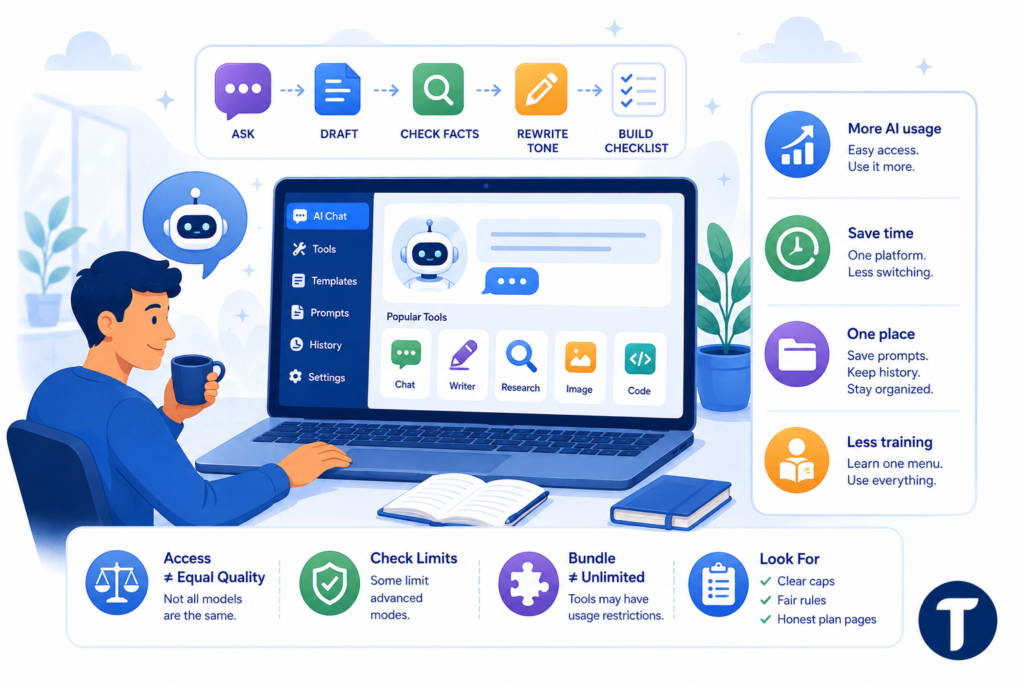
Convenience shapes behavior. When a tool is easy, you use it more.
A single platform can raise AI usage because it removes the small walls between tasks.
This matters for people who want AI assistance each day. You can open one AI chat, ask for a draft, check facts, rewrite tone, and build a checklist.
A platform that gives you access to many tools in one can also reduce training time. You learn one menu. You save prompts in one place. You keep AI conversations in one history.
That said, access to AI models does not always mean equal quality. Some platforms route prompts in ways you cannot see. Some limit advanced modes. Some include tools in one bundle but restrict heavy use.
Look for clear caps. Look for fair rules. Look for honest plan pages.
The Pros and Cons of Using All-in-One AI Models
Using all-in-one AI models can feel like swapping a messy toolbox for a clean workbench.
The value is real, but the fit depends on how much control you need.
Pros:
- Lower clutter from separate AI subscriptions
- Faster work inside a single platform
- Consolidated AI access for writing, research, and media
- Less billing stress
- Access multiple AI tools without extra logins
Cons:
- Less depth than some specialist apps
- Possible usage caps
- Less control across different AI models
- Risk if the service removes features
- Platform support may vary
The best AI choice depends on your pattern. A marketer may want one broad workspace. A video editor may keep a specialist app. A lawyer or health team may need stricter review before AI adoption.
I ignore hype lines like “we cut our AI costs in half” unless the person shows the math. Savings depend on your stack, your limits, and your actual use.
The Future of AI and Comprehensive AI Workspaces
The future of AI looks less like a pile of apps and more like a control room. You will choose a task, and the system will pick the right AI model behind the scenes.
Comprehensive AI workspaces will win when they feel both powerful and boring.
Boring matters. Good software should not make you think about billing, routing, and model names all day. It should help you finish work.
I expect more platforms to bundle AI tools and models. Some will focus on creators. Some will focus on teams. Some will market themselves as the answer to juggling multiple AI subscriptions.
The better ones will not try to list every AI feature under the sun. They will give you reliable tools, fair limits, and clear value.
Final Verdict: Can One AI Replace Many Tools?
Yes, one AI can replace many tools for everyday users, freelancers, students, founders, and small teams. An all-in-one subscription works best when your tasks are broad and your current setup feels messy.
No, it will not replace every AI tool for everyone. Power users may still need specialist apps. Teams with strict rules may need custom setups. Some workflows demand a separate AI product with deeper features.
My rule is simple: keep the tools that earn their place and cut the ones that only add noise.
Start by reviewing your last 30 days of AI needs. Keep what you used. Cancel what you ignored. Test one all-in-one option against your real work.
One good AI subscription can be enough when it saves money, saves time, and gives you the output you need.
That is the point. Not fewer apps for the sake of fewer apps. Better work with less drag.
For readers comparing related topics, TechBonna also explains Lit AI Inc Magazine: The Ultimate Guide to Embracing AI Technology with a careful focus on verification, risk, and practical next steps.