Are Free VPNs Safe, or Will They Put My Data at Risk?
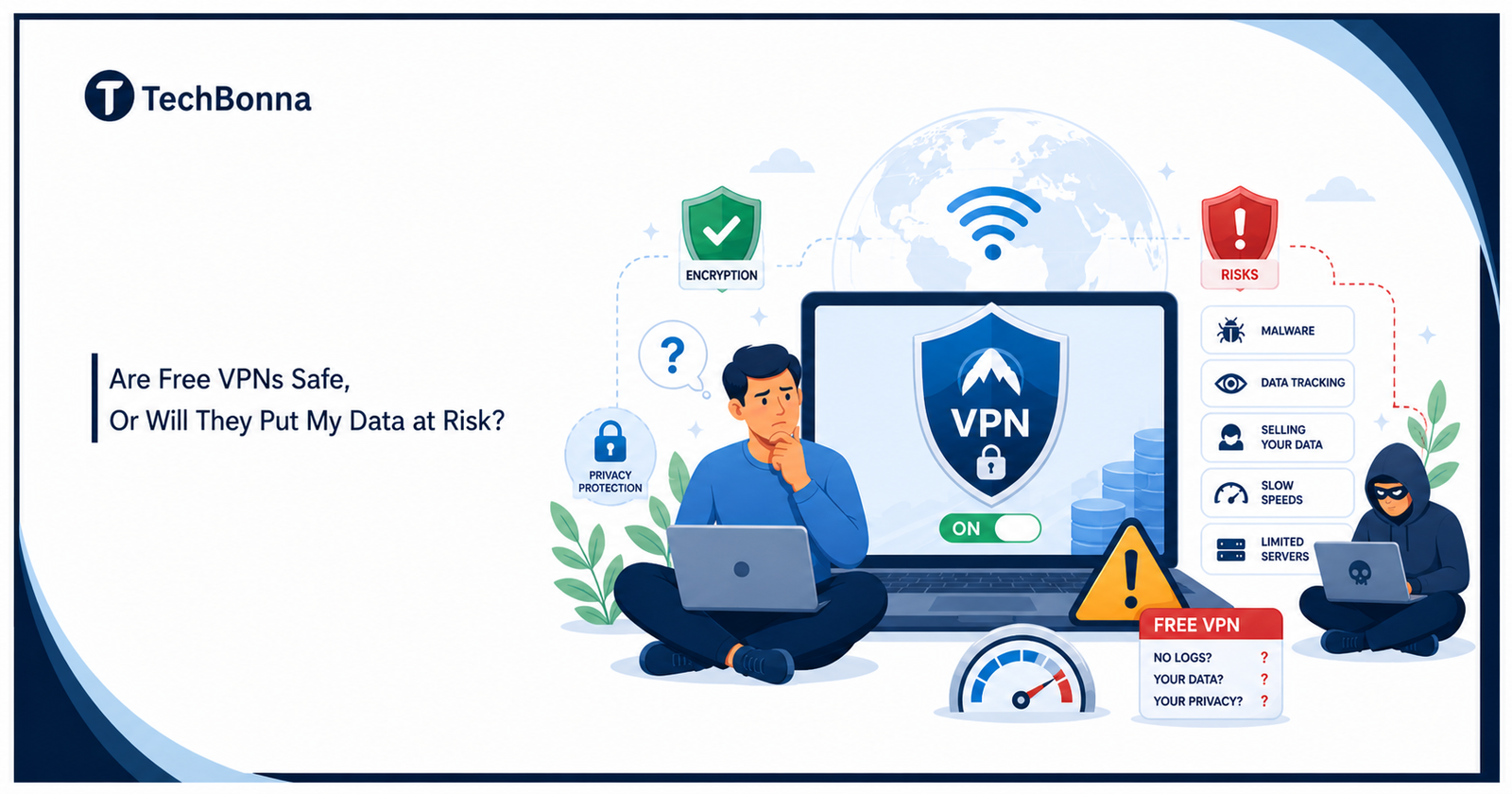
Table of Contents
Introduction
Free sounds harmless until the bill comes in another form. With a free VPN, that bill can be your data, your speed, your trust, or your peace of mind.
I care about this because a VPN sits between you and the web. When you use a VPN, you hand one company a front-row seat to your online life. I use a VPN when I want more control on public Wi-Fi, but I still choose the tool with care.
That makes the choice feel less like picking an app and more like choosing a lock for your front door.
Quick Answer: Are Free VPNs Safe to Use?
Some are fine for light use, but many are not worth the risk. Free VPNs safe enough for casual use are the exception, not the rule.
A virtual private network can hide your IP address from the sites you visit and mask it from apps and ad networks. It can protect parts of your internet traffic. That can protect your privacy on public Wi-Fi, but only when the VPN service does its job.
The FTC warns that a VPN app can see all the traffic you send through it. It also points to research on nearly 300 apps where some did not use encryption at all. Researchers affiliated with CSIRO, ICSI, UC Berkeley, and UNSW found that 84% of the tested Android VPN apps leaked traffic, and 18% did not encrypt it. They also found malware signals in 38% of apps in the study.
Here is my blunt rule: skip no-cost tools for banking, health portals, work files, tax forms, or anything you would hate to see exposed.
Why Free VPN Services Can Feel Risky
A free service still needs money. The question is: where does that money come from?
Some free VPN providers pay for each server, app build, support ticket, and security audit, including upgrades. Others may use ads, trackers, partner deals, or user data. That is where the worry starts.
I have tested tools whose pitches looked clean, but whose privacy policies told a colder story. If a company can collect browsing data, device IDs, location clues, or ad IDs, you need to ask why.
Free VPN services can cost less in dollars but more in terms of control.
Watch for these warning signs:
- The policy says it may sell your data or share data to third parties.
- The app asks for strange permissions on Android.
- The company has no clear owner, address, or audit history.
- The VPN provider makes big claims with no proof.
- The app stores page has copycat names or fake-looking reviews.
A good privacy tool should lower risk. It should not create a new blind spot.
The Biggest Risks of Free Tools
The risks of free tools are not all the same. Some annoy you. Some expose users.
The biggest danger is trust. You may hide your IP address from your ISP, then give the same data to a weaker gatekeeper.
That is also the point the FTC’s guidance on shopping for a VPN app makes: your traffic is routed through servers the provider controls, so the provider’s own data practices become part of your threat model.
Free VPNs may limit speed or data caps, but that is a small problem. The larger issue is what happens inside the tunnel.
A weak VPN service can log your online activity. A shady one can track your online activity for ads. A malicious one can add malware, hide malware in updates, inject ads, or send you to unsafe pages.
The common privacy risks include malware, weak rules, and unclear data use:
- poor encryption or no protection
- DNS or web leak issues
- crowded server locations
- slow speed when you stream
- unclear ownership
- aggressive ads
- weak support for OpenVPN or modern VPN protocols
- promises with no audit
Some free VPNs have been caught doing things users would never accept if the facts were on the box. Free VPNs often make privacy sound easy, then bury the trade-off in the long term.
That is not a bargain. It is a fog machine.
How Encryption Should Work in a VPN Service
Encryption is the part most people hear about first. It matters, but it is not magic.
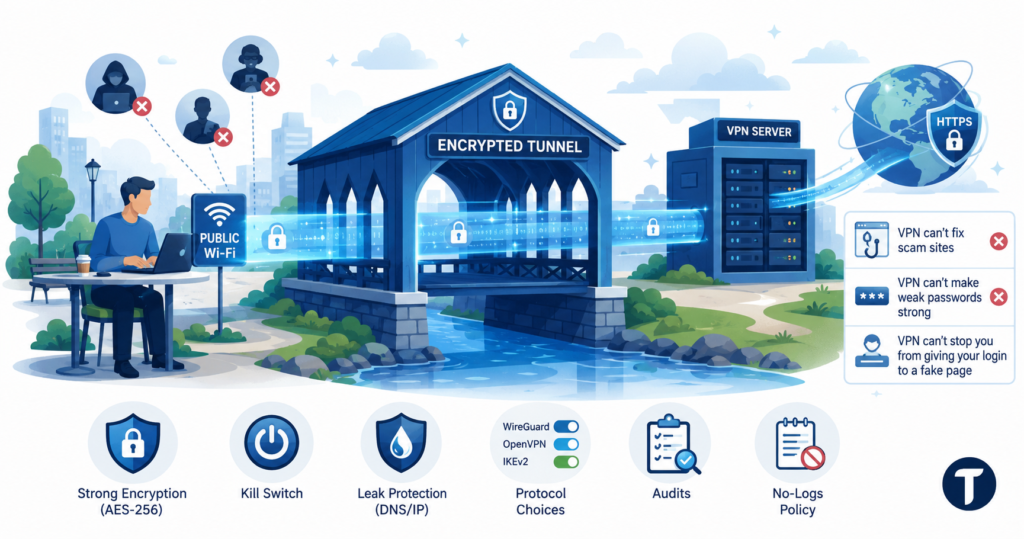
A standard VPN should encrypt your connection between your device and the VPN server. That means people on the same Wi-Fi should not read the data moving through that tunnel. Strong tools may use AES-256, and many paid VPNs use AES-256 encryption as a selling point.
Good encryption turns public Wi-Fi from a glass hallway into a covered bridge.
You still need to know the limits. A VPN can protect the tunnel, but it cannot fix a scam site. It cannot make a weak password strong. It cannot stop you from giving your login to a fake page.
The VPN connection also ends at a server. From there, traffic goes to the site you open. HTTPS still matters.
Look for a VPN service with strong encryption, a kill switch, leak protection, and clear protocol choices. I also like to see audits and a no-logs policy. That policy means the company says it does not keep records tied to your browsing, though audits make that claim more believable.
Can Free VPN Providers Sell Your Data?
Yes, some can, if their terms permit it. That is why the policy matters.
A free app with vague data rules can turn user privacy into a product.
Read the policy before you install it. Search for words like collect, share, partners, advertising, analytics, and log. You are looking for plain answers.
Ask three simple questions:
- Does the VPN provider keep records of what I do?
- Does it use your data for ads?
- Can it sell your data?
If the answer feels hidden, leave.
Many free VPN providers say they protect people while collecting details tied to devices, sessions, locations, or app use. A few safe, free options exist, but some providers make the review process more difficult than it should be.
A trustworthy VPN should tell you what it collects, how long it keeps it, and who sees it.
Are Free VPNs Good for Streaming, Travel, and Wi-Fi?
They can handle light browsing, but I would not count on them for heavy work. A tool good enough for a quick coffee shop session may still fail when you stream, travel, or need steady access.
Free plans may give you one server or a few locations. The server may be full. Speed may drop. Some services deliberately slow down your internet to push upgrades.
That can make apps like streaming services hit a wall. You may see buffering, blocks, or low video quality. A free tool may also struggle in hotels, airports, and schools where networks are already fussy.
I would save free tools for basic browsing on public Wi-Fi — and if you’re unsure what the difference between Wi-Fi and the internet actually is, understanding that gap helps you see exactly where a VPN fits in. I would avoid them for private accounts, large downloads, or work. When I travel, I prefer reliable protection over a no-cost gamble.
When It Is Okay to Use a Free Option
A free option can make sense when the stakes are low. The key is to match the tool to the job.
Use a free VPN only when you can live with limits, and you trust the company.
A free plan from a known brand can be better than a random app with a shiny icon. Some premium VPNs offer a free trial, a limited free plan, or a 7-day test. That can be a safer VPN path than grabbing the first VPN free result.
You can use a free VPN for low-risk tasks, but stop there.
Try a no-cost plan for:
- reading news on public Wi-Fi
- checking maps while traveling
- light browser use
- testing whether a VPN service fits your device
- learning how online privacy tools work
Avoid a no-cost plan for:
- banking
- work dashboards
- medical portals
- tax sites
- password manager access
- private file transfers
You are not being paranoid. You are matching the lock to the door.
Paid Tools vs Free Tools: What You Get
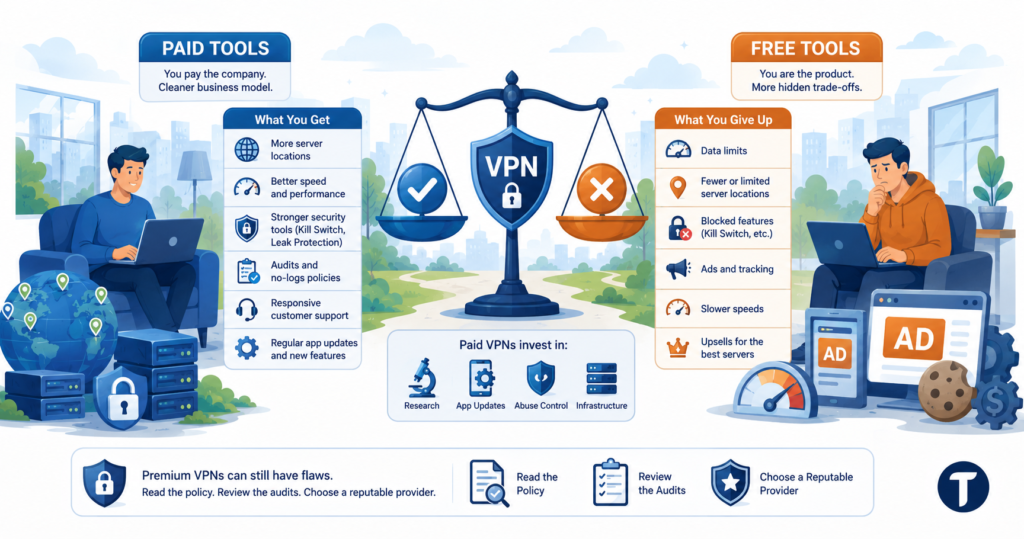
A paid tool is not perfect, but the business model is cleaner. You pay the company, and the company has less reason to monetize you in quiet ways.
A paid VPN service tends to offer stronger privacy and security tools, more locations, better support, and fewer hidden trade-offs.
Paid tools tend to offer more server choices, better speed, kill switches, audits, support, and clearer policies. Paid VPNs also have money for research, app updates, and abuse control.
Free plans tend to push limits. They may cap data, block features, show ads, or reserve the best server group for people who upgrade to their premium plan. That does not make every paid one perfect, but it does make the incentives easier to understand.
A premium VPN can still have flaws. You still need to read the policy, review the audits, and choose a VPN from a reputable provider.
How to Choose a Free VPN or a Trustworthy VPN
Choose a free VPN the way you would choose a babysitter for your data. Ask for proof, not vibes.
The best free VPN for you is the one with the fewest secrets.
Use this checklist before you install anything:
- The company name is clear.
- The privacy policies are short enough to understand.
- The no-logs policy has an audit or strong public proof.
- The app does not bombard you with ads.
- The tool has strong encryption and can encrypt your internet traffic.
- It offers leak protection.
- The owner has a track record in the VPN industry.
- Support pages explain limits with plain words.
- The app does not ask for odd phone permissions.
- The download comes from official app stores or the company’s site.
I would also search for the company name plus “breach,” “lawsuit,” “audit,” and “ownership.” A few minutes can save you a headache.
If you need stronger IP trust signals as well as encryption, a residential IP VPN can be a safer upgrade path than relying on unknown free VPN networks.
Free VPN Options and Alternatives to Free VPNs
The best free VPNs are usually limited plans from known brands, not mystery apps. They may cap data or locations, but they tend to be more honest about the deal.
An alternative to free tools is a short paid plan with a refund window or trial.
That route can work well when you need privacy for a trip, school term, or a month of remote work. You get a safer VPN without a long commitment.
Your main VPN options are:
- a limited free plan from a known brand
- a free trial from a premium VPN
- a low-cost monthly plan
- a router or phone setting for basic security needs
- no VPN at all when HTTPS and safe habits are enough
That last point matters. VPNs aren’t a cure for every risk. VPNs don’t block every scam, stop every tracker, or make you anonymous.
A top VPN can safeguard more data in transit, but it cannot protect careless clicks.
Final Verdict: Should You Use a Free or Paid VPN?
I would not say all free tools are unsafe. Free options exist because many people need basic protection and cannot pay for one more subscription.
Still, some free apps ask for deep trust while giving thin proof. You’re using a free VPN, but you’re not paying with cash. You may be paying with speed, ads, limits, or data.
My advice is simple: use a VPN from a company you can name, read, and hold accountable.
A free plan from a trusted brand can be fine for low-risk browsing. A paid tool is the better choice for daily use, travel, work, and private accounts.
Free tools safe enough for routine use do exist, but you have to choose with care. Start with the policy. Check the owner. Look for audits. Test for leak issues. Keep your browser, phone, and apps updated.
Your data deserves better than a mystery tunnel.
For readers comparing related topics, TechBonna also explains XChat: New Messaging Platform That Could Replace WhatsApp with a careful focus on verification, risk, and practical next steps.